
A music-player-style song plaque is a personalized display, not a device that plays music. The downloadable file gives you a static layout to cut, print, or engrave; the blank, song artwork, wording, and any scannable code may need to be supplied separately. If you are choosing a music player acrylic template for Cricut or a laser cutter, start with the file formats and the machine you plan to use—not the product mockup.
Affiliate disclosure: This article contains affiliate links. TestedWise may earn a commission if you purchase through them, at no additional cost to you. Read the full disclosure.
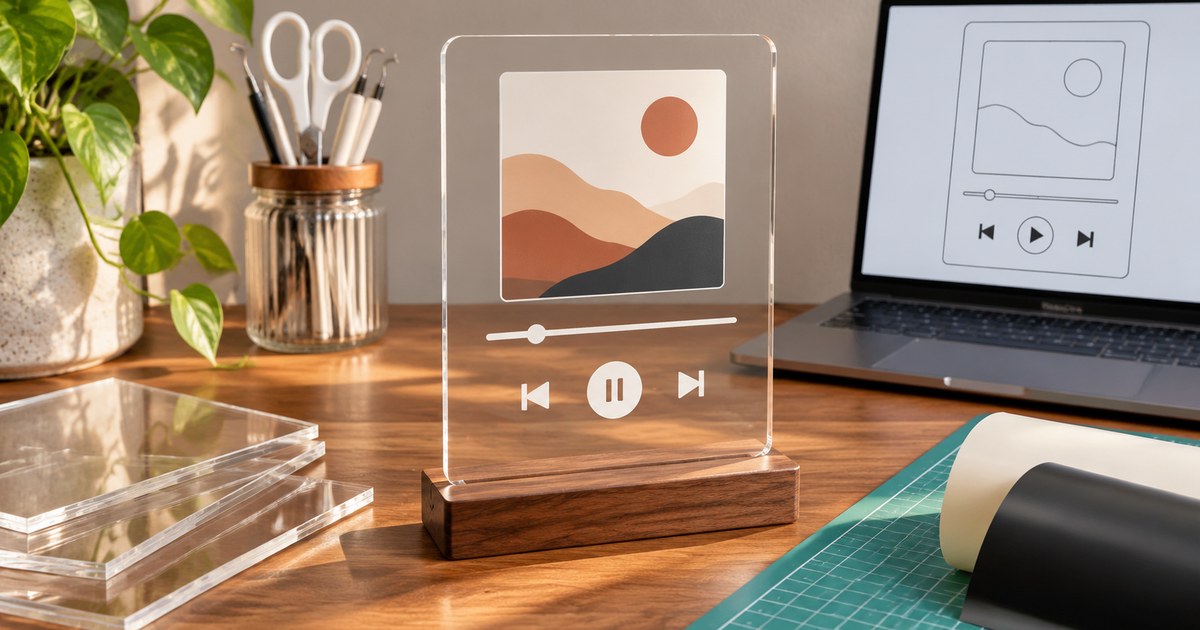
This guide compares six relevant Creative Fabrica listings by their visible popularity signals, file formats, intended workflow, and the details a buyer should check before downloading. We have not physically cut, printed, or engraved these files, so the notes below are based on the product pages and platform documentation rather than hands-on testing.
Six popular music player SVG and song plaque templates
| Listing | Favorites* | Public rating | Formats listed | Best fit |
|---|---|---|---|---|
| Music Player Acrylic Template | 14,766 | 4.9 / 24 | SVG, transparent PNG, EPS | Cricut and common vector workflows |
| Song Plaque with Stand | 1,247 | No reviews | AI, DXF, SVG, EPS | Laser cutting and CNC-style projects |
| Music Player, Spotify Song, Song Art | 588 | 5.0 / 4 | SVG, PNG, JPG, EPS, DXF, PDF | Multi-format DIY and print projects |
| Song Glass Template, Music Player | 424 | 5.0 / 1 | SVG, DXF, PNG, EPS | Glass, acrylic-style artwork, and small gifts |
| Music Player Plaque Custom Design | 215 | No reviews | SVG, black-and-white PNG | A simple layout where you add your own wording |
| Song Plaque Photo Frame Laser Cut Bundle | 206 | 5.0 / 1 | 10 each of SVG, EPS, transparent PNG, PDF, DXF | Laser-cut projects that need several layout options |
*Favorite counts and review totals are a dated snapshot of the public Creative Fabrica pages checked on November 17, 2026. They can change. Favorites show saved interest, not purchases, and a rating based on one or four reviews is a very small sample.
How the six listings were selected
Creative Fabrica’s Popular Searches page currently places SVG at number seven in its top ten. Its homepage Trending section also shows a mix of fonts, graphics, crafts, embroidery designs, and bundles. Within that broader market, the Music Player Acrylic Template appeared among the visible trending products with one of the largest displayed favorite counts. The platform’s Music Player SVG tag also contains a substantial set of related designs, so the subject is not limited to one isolated listing.
For this comparison, we narrowed the search to music-player layouts, song frames, and plaque files that could reasonably support a personalized craft project. The six products are ordered by the favorite counts visible on their product pages at the time of review. This is a popularity-based shortlist, not a claim that the products have been independently tested or that the highest-favorited file will suit every machine.
1. Music Player Acrylic Template — the strongest starting point for Cricut users
14,766 favorites · 4.9 from 24 reviews
Music Player Acrylic Template by vectorbundles
This is the clear popularity leader in the group. The listing describes one ZIP download containing an SVG, a transparent PNG, and an EPS file. It names Cricut Design Space, Silhouette Designer Edition, SCAL, and ScanNCut as SVG-compatible workflows, while the EPS file is intended for vector-editing programs such as Adobe Illustrator, CorelDRAW, and Inkscape.
Why it stands out: The three formats cover a practical range of cutting and editing workflows without making the buyer sort through a large bundle. The public page also has more review activity than the other listings in this shortlist.
What to check: The listing says the preview image is not included in the download. Do not assume the product mockup or a ready-made album cover is part of the ZIP. Open the file list after downloading and confirm that the SVG imports with the layers and dimensions you expect.
2. Song Plaque with Stand — the laser-cut option
1,247 favorites · No public reviews
Song Plaque with Stand by Cutwood
This listing is more specifically aimed at a freestanding song-memory display. Creative Fabrica describes it as a digital vector file for laser cutting and lists AI, DXF, SVG, and EPS formats. The page names CNC, laser cutting, Glowforge, plasma cutting, and water-jet workflows as possible uses.
Why it stands out: The stand is part of the design concept, so it is a better match for a freestanding plaque than a flat graphic intended only for a mug, shirt, or poster. The range of vector formats may also suit a workshop that moves between design and machine software.
What to check: The page has no customer reviews. Confirm the finished dimensions, material thickness, slot fit, and whether the stand pieces are included in the same file set. A format being listed does not guarantee that every machine or software version will import it without adjustment.
3. Music Player, Spotify Song, Song Art — the broadest format mix
588 favorites · 5.0 from 4 reviews
Music Player, Spotify Song, Song Art by RedCreations
This listing has one of the broadest format lists in the comparison: SVG, PNG, JPG, EPS, DXF, and PDF. The product description mentions cards, photo albums, framed artwork, sublimation projects, shirts, mugs, apparel, cups, and stickers.
Why it stands out: It gives a buyer more than one route from design to finished item. The vector formats are useful for compatible cutting workflows, while raster and document formats may be more convenient for print-based projects or reference.
What to check: A long format list is not the same as six separate designs or six machine-ready versions. Check the exact number of designs and the contents of the ZIP. The listing title uses the word “Spotify,” but that does not make the file an official Spotify product or grant rights to use Spotify branding, album artwork, or artist imagery.
4. Song Glass Template, Music Player — a compact multi-format choice
424 favorites · 5.0 from 1 review
Song Glass Template, Music Player by Happy Design
The listing provides SVG, DXF, PNG, and EPS files. Its description positions the artwork for music-player-style glass or acrylic projects, as well as cards, framed artwork, scrapbooks, shirts, pillows, bags, mugs, and stickers.
Why it stands out: It is a straightforward alternative when you want both vector and raster formats without moving to a large bundle. The page has one five-star review, which is positive but too small a sample to establish consistent quality.
What to check: Confirm whether the downloaded PNG has the background and resolution you need, and whether the SVG is suitable for your intended size. The listing’s broad use-case list is not a guarantee that every material or printing process is compatible.
5. Music Player Plaque Custom Design — a simple blank layout
215 favorites · No public reviews
Music Player Plaque Custom Design by Cuputo Creative
This is a more minimal file. The listing describes an individually saved SVG and a black-and-white PNG. It is intended for a song-cover layout on glass, acrylic, or wood, but the product page explicitly says that no text is included and the acrylic mockup is not part of the download.
Why it stands out: The blank text area leaves room for a buyer to add their own song title, artist, or other wording. It may suit someone who already has a preferred typeface and wants to control the final composition.
What to check: This is not a ready-to-personalize finished plaque with all wording supplied. You will need to add text yourself, choose a font you are licensed to use, and check the spacing before cutting or printing. There are no public reviews on the page.
6. Song Plaque Photo Frame Laser Cut Bundle — more layouts in one download
206 favorites · 5.0 from 1 review
Song Plaque Photo Frame Laser Cut Bundle by flydesignsvg
This bundle contains ten files in each of five formats: SVG, EPS, transparent PNG, PDF, and DXF. The listing describes it as a digital product for laser-cutting machines and includes multiple song-plaque photo-frame variations.
Why it stands out: It is the most substantial multi-design pack in this shortlist. If you need several layouts for different frame styles or gift projects, ten design files may be more useful than a single template.
What to check: The listing has one review, so treat the 5.0 score as a very limited signal. Preview all ten designs, check whether the frame and stand components are separate, and confirm the files match your laser software before planning a production batch.
Which file format do you actually need?
The format matters more than the number of extensions shown on a product card. A file that opens in one program may still be awkward to edit or unsuitable for the machine you own.
| Format | What it is useful for | What to verify |
|---|---|---|
| SVG | Vector cut paths and scalable layered artwork. Usually the most convenient starting point for Cricut Design Space. | Layer structure, path count, cut/score intent, and whether images or fonts are embedded correctly. |
| PNG | Raster artwork for printing, full-color layouts, or a Print Then Cut workflow. | Pixel dimensions, transparency, background, and print size. A PNG is not an editable vector cut file. |
| DXF | Vector exchange for compatible cutting and laser software. | Software compatibility. Cricut says DXF uploads are not supported in its iOS and Android Design Space apps. |
| EPS / AI | Vector editing and production workflows in compatible design applications. | Whether your machine software imports the file directly or needs an SVG/DXF export. |
| PDF / JPG | Print reference, proofs, and artwork that is not intended to be edited as cut paths. | Actual dimensions and resolution; a PDF preview does not prove the ZIP includes a cut-ready vector. |
Cricut’s current upload documentation classifies PNG and JPG as basic raster images and SVG and DXF as vector uploads. Cricut also documents a 5,000-path limit for SVG uploads and notes that DXF uploads are not supported in Design Space for iOS or Android. Read the Cricut image-upload instructions before choosing a file for a mobile-first workflow.
How to make a song plaque with a Cricut or laser cutter
If you use Cricut
- Start with the SVG. Download the ZIP, extract it, and upload the SVG in Design Space. Do not upload the entire ZIP file.
- Inspect the layers. Ungroup the design if needed. Check whether the progress bar, buttons, frame, and lettering are intended to cut separately or remain part of one printed graphic.
- Set the final size. Compare the artwork with the real blank. Leave enough margin for the base, frame, and any stand or mounting hardware.
- Choose a compatible decoration method. For many hobby-machine projects, the Cricut cuts adhesive vinyl or another compatible film that is applied to a purchased acrylic blank. The SVG does not mean a standard Cricut blade can cut the acrylic sheet itself.
- Make a small test first. Weed fine details on scrap vinyl, check spacing, and apply the design to a sample surface before using the final blank.
If you use a laser cutter
- Choose SVG or DXF first. Use the format your machine software imports most reliably. AI and EPS may be useful for editing before export.
- Check paths and layers. Remove duplicate lines, confirm closed shapes, and assign cut or engrave operations in the machine software rather than assuming the file has already been configured.
- Confirm the material. Use a material approved for your specific laser and follow the machine and material supplier’s ventilation and safety instructions. Do not assume all acrylic sheets behave the same way.
- Test the stand or slot fit. Material thickness and kerf affect how parts fit together. A stand that looks correct on a mockup may need adjustment for the actual sheet.
If you use a printer or sublimation setup
Use the PNG or JPG only when the listing supplies a raster image suitable for the size you need. Check the pixel dimensions, transparency, and the printable area of your blank. Sublimation requires a compatible coated blank and a suitable printer, ink, paper, and press setup. An ordinary acrylic sheet is not automatically a sublimation blank. If the product page shows a mug or glass mockup, that is an example of a possible project—not proof that the blank or printing materials are included.
What the template does—and does not—include
A music-player-style design usually gives you the visual framework: a square or rectangular display, playback controls, a progress line, and space for artwork or wording. It does not automatically provide a working music player, streaming audio, a scannable code, a physical acrylic blank, a wooden stand, or licensed album artwork. Check the product description for each item rather than reading the mockup as a packing list.
If you want a code that opens a song, create it separately using a service that permits your intended use, add it to the design, and test it from the final printed or engraved surface. A tiny code, low contrast, glare, or a curved surface can make scanning unreliable. Keep the code large enough to scan and do not assume a static template already contains a valid destination.
Also check fonts and text carefully. One listing in this comparison explicitly says that no text is included; another says the fonts shown in its preview are for preview purposes and are not included in the download. If you plan to add a song title or artist name, use a font you have permission to use and convert the final lettering to outlines when the receiving software needs dependable shapes.
Creative Fabrica licensing and music-related artwork
Creative Fabrica’s subscription license is version 1.6, effective April 10, 2026. It permits certain physical and digital end products, but it does not allow you to redistribute the original downloaded files. Digital end products must be genuinely new, must not compete with the original asset, and must be flattened so customers cannot extract the original design. The license also has category-specific rules, including a special treatment for Craft files after a subscription ends. Do not assume that every file described as a craft project is automatically covered by the same exception; check the product category and the license that applies to your download.
There is a second rights question beyond the template license. A Creative Fabrica license for a design does not automatically clear third-party album covers, artist photographs, lyrics, record-label logos, or music-service trademarks that you add yourself. Use artwork you created, licensed, or otherwise have permission to use. A product title or tag that mentions Spotify does not mean the design is official, endorsed, or licensed by Spotify. TestedWise is not affiliated with Spotify.
Read the current Creative Fabrica Subscription License and the Single Sales License before making items for sale. The rules can differ depending on whether you download through a subscription or make a single purchase.
Before you download: a practical checklist
- Confirm the exact file types and how many designs are included.
- Check whether text, fonts, album artwork, a QR code, mockups, or a physical blank are excluded.
- Match SVG, DXF, EPS, AI, PNG, and PDF to the software and device you actually use.
- Inspect the paths, layers, and dimensions before cutting or engraving.
- Choose the blank and decoration process before resizing the artwork.
- Check the current license for physical products, digital products, client work, and any intended commercial use.
- Save the listing, receipt, and applicable license version with the project.
For the next part of the decision, see the SVG format and layer checklist.
Another SVG bundle with a different visual style is covered in another SVG bundle with a different visual style.
Frequently asked questions
What is a music player acrylic template?
It is a digital design file for making a static song-themed plaque or display. It may include a music-player-style frame, controls, or space for a song title and cover art. It is not an electronic music player and does not play audio.
Which file format should I use for Cricut?
Start with SVG when you need vector cut paths or separate layers. Use PNG for raster artwork or a Print Then Cut workflow. Check the actual file in Design Space before cutting, especially if the design has many paths or small details.
Can a Cricut cut the acrylic plaque itself?
Do not assume so. The template is a design file, not a material capability statement. Many hobby projects apply vinyl or another compatible decoration to a purchased blank; actual acrylic cutting or engraving requires equipment rated for the material and thickness.
Do these templates include a Spotify code?
Not by default. The product descriptions list artwork formats, but they do not promise a working song code or audio link. Check the exact listing and add and test any code separately if you need one.
Are the acrylic blank and stand included?
No physical product is included in these digital-file listings. A stand may be part of the vector design, but you still need to cut it from a suitable material. Check each listing’s included files and dimensions.
Can I sell finished song plaques made with a Creative Fabrica file?
The current license allows certain physical end products, subject to its conditions. It does not allow you to redistribute the original design file, and any album artwork, lyrics, logos, or third-party marks you add must be separately cleared.
Why do some listings have many favorites but few reviews?
Favorites and reviews measure different kinds of activity. A person can save a design without downloading or buying it. Treat favorite counts as an interest signal, not proof of sales or product quality.
Is the most-favorited template automatically the best choice?
No. The top listing has the strongest visible popularity signal in this snapshot, but a laser-cut stand file may be a better fit for a laser workflow, while a PNG-heavy file may suit a print project. Choose by machine, format, and finished product.
Bottom line: The Music Player Acrylic Template is the obvious first listing to inspect because its favorite count and review history stand out. But a good song plaque starts with the machine and blank you already plan to use. Check the file formats, included assets, dimensions, and license before downloading, then test the design on scrap material before making the finished gift.