
A useful Canva business template should do more than make a post look polished. It should help a small business keep its visual identity consistent, create the right format for each platform, and make routine marketing work easier to repeat. The best choice depends on what you need: a complete brand starter kit, a bank of Instagram posts, carousel layouts, vertical Stories, or a media kit for brand partnerships. We compared six Creative Fabrica listings by their visible favorites, stated contents, editing workflow, dimensions and practical limitations.
Affiliate disclosure: This article contains affiliate links. TestedWise may earn a commission if you purchase through them, at no additional cost to you. Read the full disclosure.
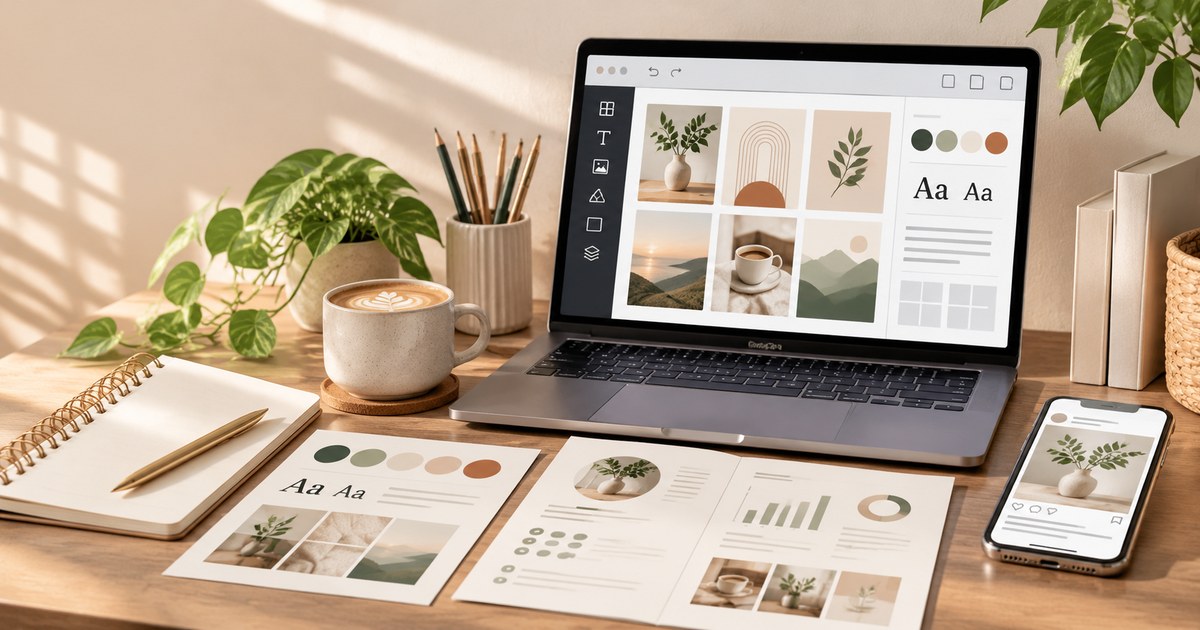
This guide is for small business owners, solo entrepreneurs, coaches, bloggers, virtual assistants, social media managers and creators who need repeatable marketing graphics. The six picks cover different jobs rather than six versions of the same Instagram grid. A seventh high-interest listing is discussed separately because its resale-rights wording needs clarification against Creative Fabrica's published license.
We reviewed the public Creative Fabrica product descriptions, visible favorite counts, ratings and review totals where available, stated dimensions and file-delivery notes. Favorites are saved-interest signals, not sales or downloads. TestedWise has not purchased, downloaded, edited or tested these products. Product contents and access terms below are seller claims and may change.
1. Six Canva business template picks at a glance
The table is ordered by the favorite counts visible in the product-page captures reviewed for this guide. These counts were collected from pages with different crawl dates, so treat them as directional popularity signals rather than a synchronized real-time leaderboard. Ratings are shown with their review totals; a five-star score based on one or four reviews is a small sample, not proof of consistent performance.
| Creative Fabrica listing | Favorites* | Public rating | Best fit |
|---|---|---|---|
| Complete Business Branding Kit for Canva | 1,927 | 5.0 / 9 | New businesses that need identity basics and social assets together |
| Instagram Carousel Template | 503 | 5.0 / 1 | Coaches and businesses that explain ideas in multi-slide posts |
| 100 Editable Instagram Post Templates | 477 | 5.0 / 4 | Creators who want a larger feed-post library |
| Small Business Canva Instagram Template | 205 | Not shown in the captured listing | Solo businesses and service providers who prefer a minimalist look |
| Business Instagram Stories for Canva | 165 | 5.0 / 2 | Vertical promotions, announcements and daily updates |
| Media Kit Template Canva | 104 | No reviews shown | Creators and bloggers preparing partnership proposals |
*Favorites are not sales, downloads or quality ratings. Counts can change and may have been captured at different times. Check the live listing before deciding.
2. How the shortlist was selected
Creative Fabrica's public catalog is broad. At the time of research, its Social Media Templates category showed about 31,885 listings, the Canva Social Media Templates category about 3,580, and the Business Template tag about 4,470. These are overlapping catalog groupings, not separate markets that can be added together. A large catalog makes raw popularity useful as a discovery signal, but it does not tell you whether a particular pack is complete or practical.
For this shortlist, we looked for products with a clear use case and enough listing detail to assess what a buyer receives. We favored packs that disclose their number of layouts, intended platform, dimensions, Canva access method or included supporting files. A product with fewer templates can be a better fit than a giant bundle if its pages are coherent and easy to adapt.
We also checked for issues that are easy to miss in preview images: whether photos are included, whether the file is a Canva link or a finished image, whether the seller recommends desktop editing, whether access is subscription-only, and whether the listing's commercial-use claims match the platform's license. When the page did not answer a question, we mark it as something to verify rather than filling the gap with an assumption.
3. Six Creative Fabrica products compared
1. Complete Business Branding Kit for Canva — the broadest starter identity

1,927 favorites · 5.0 from 9 reviews
Creative Fabrica listing: Complete Business Branding Kit for Canva by StudioEburnean.
This is the most complete starting point in the shortlist. The seller lists a main logo, alternate logo, submark, mood board, brand board, business card, letterhead, email signature, price list, Instagram highlight set, five Instagram post templates and five Instagram Story templates. The product also includes PDF files with links for opening the templates in Canva.
The listing provides dimensions for several pieces: the logo variations are 4,000 × 4,000 px; the brand and mood boards are US Letter; the business card is 1,050 × 600 px; the letterhead is 3,153 × 4,080 px; and the Instagram post and Story templates are 1,080 × 1,080 px and 1,080 × 1,920 px respectively. That level of detail makes it easier to see what is included before downloading.
Why it stands out: It connects the visual identity with the materials a small business uses every day. You can establish a logo family and color direction, then carry that look into stationery and social posts. The page shows a 5.0 average from nine reviews, a larger review sample than most of the smaller kits in this comparison.
What to check: The listing says a free Canva account is enough and recommends editing on a computer. A buyer review mentioned confusion over the downloaded file names; the designer replied that the PDF called “Canva Template Links” contains the actual access links and the other PDFs are freebies. After downloading, locate the correct link document before assuming a template is missing. The product page currently presents this item through Creative Fabrica subscription access, so check the access method and renewal terms at checkout.
2. Instagram Carousel Template — useful for explainers and step-by-step posts

503 favorites · 5.0 from 1 review
Creative Fabrica listing: Instagram Carousel Template by SnapyBiz.
The seller lists 32 Instagram carousel templates at 1,080 × 1,080 px. The page describes them as fully editable in Canva and says buyers can change photos, text, colors, fonts, shapes and positions. A PDF guide provides the Canva access link and instructions for creating a personal copy of the design.
Why it stands out: A carousel has a different job from a single promotional graphic. It can walk through a short tutorial, show a before-and-after sequence, answer a common question, explain a service or break a product comparison into slides. A ready-made sequence can save layout time, especially when the same content structure is used repeatedly.
What to check: The listing specifies square 1,080 × 1,080 px pages. That is the seller's stated format, not a guarantee that every current Instagram placement will display every design exactly as previewed. Check the live platform crop and safe areas before publishing. The product has only one public review, so its 5.0 score is not a meaningful sample of long-term user experience.
3. 100 Editable Instagram Post Templates — the largest focused feed-post set

477 favorites · 5.0 from 4 reviews
Creative Fabrica listing: 100 Editable Instagram Post Templates by Okay Doodle Design Studio.
The listing describes a 100-template collection called “Lilac Dreams.” The posts are sized at 1,080 × 1,080 px and can be edited in Canva, including colors, fonts, text and images. Buyers receive a PDF containing the Canva access link. The page also shows a single-purchase option, although price and availability can change.
Why it stands out: The collection is designed for small business owners, entrepreneurs, bloggers and coaches who want a recognizable feed style without laying out every post from a blank canvas. A hundred templates give you room to build a varied content bank, provided the layouts actually fit the topics you publish.
What to check: The Lilac Dreams visual direction is distinctive. If it does not match your brand, changing a few colors may not be enough to make every layout feel coherent. Preview the full set and decide whether the base typography, spacing and decorative style suit your business. Also check the current purchase or subscription access shown on the product page. A large template count does not guarantee a month of ready-to-publish copy; you still need to write useful captions and replace placeholder content with accurate information.
View 100 Editable Instagram Post Templates on Creative Fabrica →
4. Small Business Canva Instagram Template — a focused minimalist set

205 favorites · 51 templates · 1,080 × 1,080 px
Creative Fabrica listing: Small Business Canva Instagram Template by SnapyBiz.
The listing describes 51 minimalist Instagram templates in the standard square post size of 1,080 × 1,080 px. Its stated audience includes solo entrepreneurs, coaches, boutique agencies, lifestyle bloggers and virtual assistants. The visual direction is restrained and feminine rather than highly decorative.
Why it stands out: This is a more targeted option than a general-purpose post library. It may suit a service business that needs a consistent look for tips, announcements, offers and educational posts without a large number of competing design styles. The listing's preview images show multiple layout variations, so review the actual examples rather than relying only on the “51 templates” count.
What to check: The product description is written in promotional language and does not provide a complete inventory of every layout type in the text reviewed. Check whether the pack includes the content formats you need—such as testimonials, service explanations, pricing posts or calls to action—before downloading. The listing does not establish that the templates include licensed stock photography, so confirm whether you must supply your own images.
View Small Business Canva Instagram Template on Creative Fabrica →
5. Business Instagram Stories for Canva — vertical templates with photos included

165 favorites · 5.0 from 2 reviews · 20 templates · 1,080 × 1,920 px
Creative Fabrica listing: Business Instagram Stories for Canva by switzershop.
The seller lists 20 customizable Canva Story templates in 1,080 × 1,920 px format and says photos are included. The delivery method is a PDF containing direct Canva template links. The product description says buyers can change the text and use the supplied photos or insert their own.
Why it stands out: Stories need a different layout from square feed posts. Their full-screen vertical format is suited to short announcements, limited-time offers, product highlights, quick questions and behind-the-scenes updates. Having the photos included can make a template easier to adapt, as long as those images are actually part of the delivered design and permitted for the intended use.
What to check: Review the preview slides for text placement near the top and bottom of the screen, where interface elements may cover important information. The product page does not provide a detailed per-template inventory in the description reviewed. Confirm the exact included designs and the current subscription access before downloading.
View Business Instagram Stories for Canva on Creative Fabrica →
6. Media Kit Template Canva — for creators pitching brand partnerships

104 favorites · 2 pages · no reviews shown
Creative Fabrica listing: Media Kit Template Canva by StudioEburnean.
This is not a social post pack. The seller describes a two-page media kit: a front page and a second page with sections for an introduction, audience demographics, social media information and partnership opportunities. The Canva access link is delivered in a PDF. The seller says the text, fonts, images and logos can be changed, and recommends editing on Canva desktop.
Why it stands out: A creator who wants sponsorships needs a concise way to explain who they reach, what they publish and what a brand collaboration could look like. A media kit is a business document, not a feed aesthetic. This product is the most focused choice in the shortlist for bloggers, influencers and content creators preparing an introductory partnership document.
What to check: The page says the template uses free fonts and free Canva elements, but the exact layout is only two pages. You will need accurate audience data, recent performance metrics, a clear description of your services and a professional contact method. Do not invent engagement rates or demographic claims to fill the page. The listing shows no public reviews in the captured page and currently presents subscription access, so inspect the preview and access terms before choosing it.
4. Choose a template by the job it needs to do
Before buying a pack, write down the actual task you want it to make easier. A business that has not chosen its logo, colors or type styles has a different problem from a creator who already has a brand and needs twenty more post layouts.
| Your situation | Template type to consider | What matters most |
|---|---|---|
| New business, no consistent visual identity | Complete branding kit | Logo variations, brand board, stationery and social assets that work together |
| Established brand, frequent feed posts | Instagram post bundle | Editable text, photos, colors and enough distinct layouts for real content pillars |
| Educational or explanatory content | Carousel templates | Readable slide sequence, consistent typography and room for useful information |
| Daily updates and short promotions | Story templates | Vertical dimensions, safe text placement and image rights |
| Creator seeking sponsorships | Media kit | Accurate audience data, services, partnership options and contact details |
| Content published across several channels | Multi-platform social kit | Separate, correctly sized layouts—not just one design stretched to every platform |
For many small businesses, the sensible order is to establish the brand first, create a small set of reusable post formats second, and add Stories or platform-specific layouts only when there is a clear publishing need. Buying several overlapping bundles often creates more files to sort through without making the marketing process simpler.
5. Canva links, PDF files and editable formats
A Canva template link is not the same as an exported image
A Canva template link opens a design that you can copy into your own Canva workspace and edit, subject to the access and permissions set by the creator. A finished PNG or JPG is a flattened image; it may be suitable for posting, but it does not give you the same control over individual text boxes, photos and design elements. A PDF can be an instruction sheet containing a Canva link, a print-ready document, or a flat preview. The file extension alone does not tell you which one it is.
Canva's own Help Center explains that Template links let recipients view and use a design as a template. Creating a Template link is currently limited to Canva Pro, Canva Teams, Canva Enterprise, Canva for Education and Canva for Nonprofits users. That is a feature available to the person creating the link; it does not mean every recipient needs Canva Pro just to edit a shared template. Check the product seller's instructions and the content used inside the design.
What to look for in the download
- PDF with access links: Usually an instruction or delivery file. Open it and follow the Canva link; do not mistake it for the editable design itself.
- Canva template link: Opens the editable design. Make a copy in your account before changing the original layout.
- PNG or JPG: Flattened exports that are ready to post or place in another document, but individual elements are not editable.
- PSD: A Photoshop document. Check whether the layers, fonts and linked assets are included and whether Photoshop is required in addition to Canva.
- PDF for print: Check page size, page order, margins and whether the file is intended for printing or simply contains instructions.
Before relying on a template, open the link, confirm that it loads, make a copy and test-edit one heading, one image and one color. This quick check catches broken access links and locked elements before you spend time adapting an entire set.
6. Instagram, Stories and Pinterest dimensions
Dimensions are part of product fit, not a minor technical detail. A template can look excellent in a preview and still require cropping or rebuilding if it was designed for a different placement.
- Square feed posts: Several listings in this guide specify 1,080 × 1,080 px. This is the stated size for the 100 Editable Instagram Post Templates, the 32-slide carousel pack and the 51-template small-business pack.
- Instagram Stories: The Stories listing specifies 1,080 × 1,920 px, a vertical 9:16 canvas. Keep key text and logos away from the top and bottom interface areas.
- Pinterest standard image Pins: Pinterest Business recommends a vertical 2:3 ratio, such as 1,000 × 1,500 px, for standard image ads. It notes that taller ratios may be cut off in feeds. A square Instagram post should not simply be uploaded unchanged if a tall Pin is the intended output.
- Business stationery: A logo, business card, letterhead and price list need their own dimensions. The complete branding kit provides a range of sizes; check the exact page before exporting or sending it to a printer.
If you need several platforms, look for a pack that includes each required size or plan to rebuild the layout in the correct dimensions. Resizing a square design can move text, crop product photos or leave awkward empty space. After resizing, inspect every page rather than assuming the automatic layout is ready to publish.
7. A practical workflow for using a social media kit
- Define three to five content pillars. For example: product education, customer questions, proof or testimonials, behind-the-scenes updates and offers. The template should support those topics rather than dictate them.
- Set a small brand system. Choose a primary and secondary color, one heading font and one body font. Keep logo placement and margins consistent. A brand board is useful as a reference, but it is not a substitute for a written style guide if several people create content.
- Make a copy of each Canva template. Preserve the original link or source design. Rename your copies by platform and purpose so you can find them later.
- Replace every placeholder. Remove sample names, dummy metrics, stock claims and example offers. Use your own photos or assets you have permission to use.
- Adapt the message, not just the color. A testimonial, a product comparison and a sale announcement need different information. Changing the text color does not turn one message into another.
- Check dimensions and safe areas. Confirm the final canvas size and preview it on a phone. Look for cropped text, small type, low contrast and interface overlap.
- Export the correct file. Use PNG or JPG for image posts when appropriate. If the design is animated or video-based, confirm the export type and platform requirements before publishing.
- Keep a simple content log. Record the template used, topic, publication date and link. This helps you avoid posting the same layout repeatedly and makes it easier to update successful evergreen content.
Templates reduce the time spent on layout. They do not supply a content strategy, guarantee reach or replace accurate product information. A small collection used thoughtfully is often easier to maintain than a giant bundle of designs that all compete for attention.
8. Commercial use, Canva content and resale rights
“Commercial use included” is not the same as “you can resell the original editable template.” This distinction matters if you are a designer, virtual assistant, social media manager or digital-product seller.
Creative Fabrica's license applies to the downloaded asset
Creative Fabrica's current Single Sales License and Subscription License describe permitted commercial uses, but both prohibit reselling, sublicensing, sharing or redistributing the downloaded digital files. The license also places limits on creating digital end products that compete with the original asset and requires digital end products to be sufficiently distinct and flattened so buyers cannot extract the original files. If you want to sell a finished design, read the applicable license and check the exact product category and use case.
Canva content has its own rules
Canva's Content License Agreement distinguishes Free Content, Pro Content and other content categories. Pro Content is licensed for use in a single Canva design under the agreement; the original content cannot be distributed as a standalone asset. Canva also explains that designs sold to customers must contain original creative work rather than simply repackaging Canva library elements with minimal changes.
Client work and template redistribution are not the same thing
A social media manager may create finished posts for a client, but that does not automatically mean the manager can hand over the original stock assets or redistribute a template pack to multiple clients. Check whether the relevant license permits the exact transfer and whether the client receives a finished design or editable source files. If the terms are unclear, ask the platform or designer before accepting payment for the work.
For a business using templates only for its own social accounts, the main checks are usually whether the template's included photos and elements can be used in commercial posts, whether any Pro content requires a paid Canva license, and whether the Creative Fabrica download is covered by a single-sale or subscription license. Save the license version and product receipt with the project files.
9. A popular bundle we would not buy for resale without clarification
The 8400+ Social Media Canva Template Bundle showed more than 1,100 favorites and a 5.0 score from five reviews in the product-page capture. Its description advertises thousands of templates across Instagram posts, Stories, Reels, carousels, highlights, presentations, business cards and other formats. It also claims Private Label Rights and says buyers can resell the templates for profit.
That resale promise needs to be treated carefully. Creative Fabrica's published Single Sales and Subscription Licenses prohibit reselling or redistributing the downloaded digital files. The listing's PLR wording does not, by itself, establish that the standard platform license has been replaced or that the buyer receives a separate, enforceable license authorizing resale. We have therefore not included this bundle among the six recommended picks.
If you are considering it for your own social posts, inspect the full download and the current license before using it. If your goal is to resell the templates, obtain written clarification from Creative Fabrica and the designer identifying the exact license that applies. Do not rely on a promotional sentence such as “100% profit” as proof of resale rights.
10. A pre-purchase checklist
- Use case: Do you need a brand identity, feed posts, carousels, Stories, Pinterest Pins or a creator media kit?
- Template access: Is there a working Canva link, or does the PDF only contain instructions?
- Canva plan: Does the seller say Canva Free is enough? Are any Pro elements used?
- Editable parts: Can you change the text, photos, fonts, colors and layout—or only replace a few fields?
- Included photos: Are preview images included in the download, or are they for mockups only?
- Dimensions: Are the post, Story and Pin sizes stated clearly?
- Quantity: How many unique layouts are included, not just how many file exports or color versions?
- Access type: Is it a single purchase, subscription download or free trial item? What happens if a subscription ends?
- Commercial use: Does the applicable Creative Fabrica and Canva license permit your intended business use?
- Resale: Are you being promised PLR or resale rights? Can the seller point to the exact license text that grants them?
- Support: Is there a setup guide, and can you contact the designer if a Canva link fails?
The right kit should fit your business workflow, not force you to rebuild your workflow around a large collection of designs. Start with one clear need, test a few templates and add more only when the existing set has a real gap.
11. Canva business templates and social media kits FAQs
Do I need Canva Pro to use Creative Fabrica Canva templates?
Not always. Some sellers state that their templates work with a free Canva account. However, a design may include Canva Pro content or features that require a paid plan or a separate content license. Check the product listing and the content labels inside Canva before exporting.
What is included in a social media kit?
It depends on the listing. A kit may contain feed posts, Stories, carousel slides, highlight covers, Pinterest layouts, profile graphics or a content planner. Check the exact item count and platform sizes rather than assuming that “social media kit” means every format.
Are Canva templates editable after downloading?
Usually, the seller provides a PDF or text file with a Canva link. Open the link and use the option to create your own copy. A finished PNG or JPG is not an editable Canva template, even if the preview image looks like one.
Can I use Canva business templates for my client's social media?
That depends on the applicable Canva and Creative Fabrica license and how the finished design is transferred. Do not assume that a license to use an asset for your own business automatically permits distributing the original template or source files to multiple clients. Review the client-design provisions in the current terms.
Can I resell a Canva template I downloaded from Creative Fabrica?
Do not assume so. Creative Fabrica's standard Single Sales and Subscription Licenses prohibit reselling or redistributing downloaded digital files. Some listings may advertise PLR, but you should obtain written confirmation of the specific license that applies before selling or sharing an editable source file.
What size should an Instagram Story template be?
The Business Instagram Stories listing in this guide specifies 1,080 × 1,920 px, a 9:16 vertical canvas. Keep important text away from interface areas and check the final preview on a phone before publishing.
What is a media kit for an influencer or blogger?
A media kit is a short business document that introduces a creator, summarizes their audience and content channels, and explains potential partnership opportunities. Use accurate, current audience and performance data. A template can organize the information, but it cannot supply the numbers or prove that a creator is a good fit for a brand.
Are Pinterest templates the same as Instagram post templates?
No. Pinterest recommends a 2:3 vertical ratio for standard image Pins, such as 1,000 × 1,500 px. Many Instagram post packs are square. A square layout may need a redesign or careful resizing before it works as a vertical Pin.
For Etsy sellers who need product presentation mockups, listing-image layouts and coordinated shop graphics, see our guide to Etsy mockups, listing templates and shop branding kits.
If you are also choosing personal organization templates, see our guide to Canva planner templates and printable planners. For other creative downloads, our guides to choosing SVG files for Cricut and printable coloring pages for adults explain file formats, editing and license checks in more detail.
Once your brand assets are ready, a Notion content planner can help organize campaign ideas, publishing dates and the work behind each post. See our guide to Notion templates for small business.