
A small business rarely has a shortage of things to track. Leads arrive in one inbox, project notes sit in another app, content ideas live in a phone, and invoices wait in a spreadsheet that nobody remembers to update. A well-built Notion template can bring those moving parts into one workspace. A badly matched one can become another system you have to maintain. We reviewed six Notion Marketplace templates for business planning, client management, content marketing, project work and finance, then looked at the Notion plan limits and setup details that can change what you actually get.
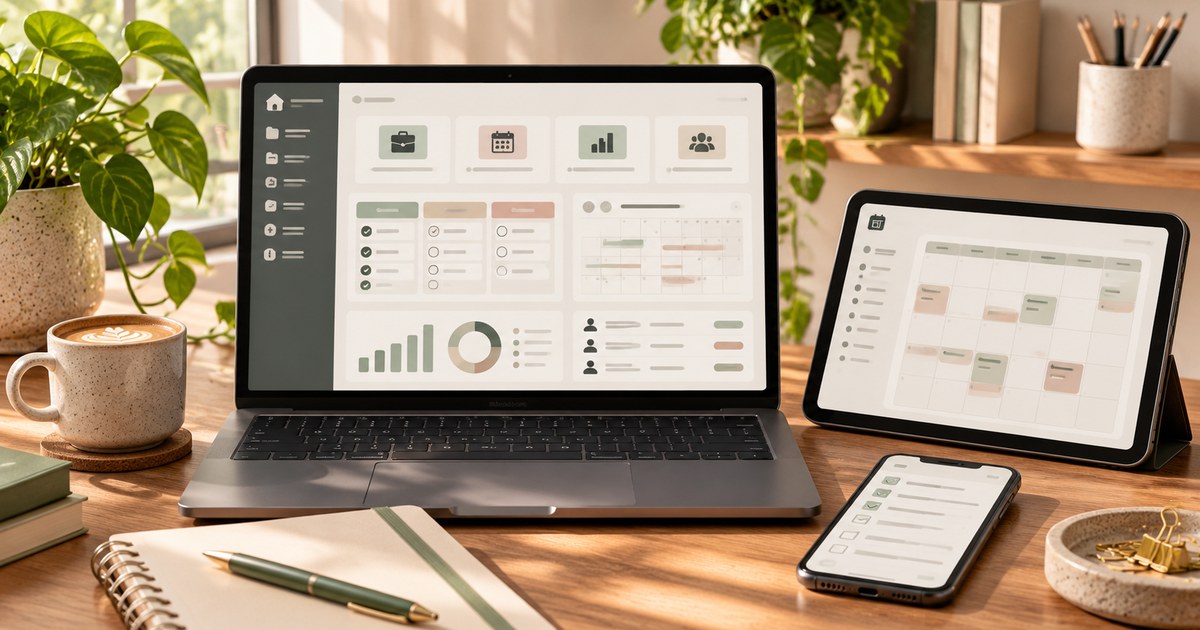
This guide is aimed at solo business owners, freelancers, consultants, small agencies, digital sellers and content-led businesses. It is not a recommendation to move every business record into Notion. A template can organize information and connect Notion databases, but it does not automatically become an accounting package, payment processor, inventory system or social-media scheduler.
We reviewed six public Notion Marketplace listings and their stated features, visible prices, creator information and review data where surfaced. Prices are USD snapshots from November 17, 2026 and can change. Product descriptions are creator claims; TestedWise has not purchased, duplicated, configured or stress-tested these templates. Where a listing did not provide enough information to confirm an integration or automation, we do not assume that it exists.
The product links in this release are standard Notion Marketplace URLs and do not contain a TestedWise affiliate tracking code. If an approved affiliate URL becomes available later, it can be substituted without changing the editorial comparison.
The links below lead to Notion Marketplace listings. Some creators may route checkout through a third-party platform rather than Notion's own checkout. Check the seller's current terms, access method and refund policy before paying.
1. Six Notion templates compared
The products below were selected because they cover different jobs rather than because they all claim to be an all-in-one business OS. A broad dashboard is convenient for a new solo owner; a client CRM is more useful when follow-up and deal stages are the problem; and a campaign planner makes more sense when content, budgets and performance need to connect.
| Template | Listed price* | Best for | Main trade-off |
|---|---|---|---|
| Business Planner Easy Peasy Lifestyle | $4.65 | A simple all-in-one business home page | Broad feature list; verify how deeply the databases connect |
| Client Portal CRM Made by Jacob | $6.00 | Client and lead tracking | Small public rating sample; not a full sales platform |
| Campaign & Content Planner Excel Studios | $14.00 | Marketing campaigns tied to content and results | More setup and ongoing data entry |
| Simple Content Planner & Calendar Mariana Park | $1.00 | Ideas, weekly publishing and brand references | Planning tool, not an auto-publishing service |
| Project Management OS BluePrint Strategy Partners | $7.99 | Projects, tasks, milestones and risks | May be more structure than a one-person shop needs |
| Business Finance Tracker Budget with Lisa | $10.99 | Income, expenses, gross profit and invoices | Not a replacement for accounting or tax software |
*Prices are the amounts shown in the Marketplace research snapshot on November 17, 2026. They are not guaranteed checkout prices. Currency, tax, discounts, third-party checkout and creator terms may change.
Only the Client Portal CRM listing surfaced a public rating in the product information reviewed for this comparison: 5.0 based on two ratings. That is too small a sample to treat as proof of reliability. For the other listings, the research snapshot did not provide enough rating information to make a fair score comparison. We therefore compare stated workflow coverage and limitations rather than inventing a ranking from incomplete review data.
2. What the Notion Marketplace tells us
Notion's Marketplace currently advertises more than 70,000 templates. The catalog spans work, personal productivity, education and many narrower use cases. That scale gives buyers plenty of choice, but it also makes template titles a poor shortcut. Two products can both call themselves a “Business OS” while one is a small dashboard and the other is a network of connected databases, formulas, client pages and reporting views.
Notion's own Marketplace help page says a template listing can show what is included, who created it, user reviews and overall rating, how many times it has been added, when it was updated and which Notion features it uses. Those are the details to inspect before buying. A polished cover image is useful for understanding the layout, but it cannot tell you whether the system's properties, relations and views fit the way you work.
The six products in this guide represent three common levels of complexity:
- Lightweight organization: a business planner or content calendar that gives a solo owner a place to start.
- Connected operating workflows: a CRM, project system or finance tracker that links records and creates useful filtered views.
- Multi-part management systems: campaign planners or client portals that combine several databases, reporting, templates and handoff processes.
More databases do not automatically mean better value. If a template has nine connected databases but you only use two, you have paid for complexity rather than a solution. The right template is the smallest system that covers the decisions and handoffs you need to make repeatedly.
3. Six templates, six different jobs
1. Business Planner — a low-cost starting point for a solo owner
Notion Marketplace · $4.65 · Easy Peasy Lifestyle
Listing: Business Planner.
This template is positioned as a broad workspace for solopreneurs and small business owners. The listing describes quarterly and monthly planning, a finance tracker for income, expenses and profit, a task and project manager, a KPI dashboard, client and lead CRM, idea and strategy pages, and a general inbox for notes.
Why it is worth considering: A new business owner often does not need a full agency operating system. They need a home page that shows the next priorities, current projects, a few business goals and the information they keep losing. At the listed price, this is a relatively low-cost way to explore whether a combined Notion workspace suits that routine.
What to verify: The product description lists several modules, but it does not establish that every module is connected through relations, rollups or automatic calculations. Before purchase, inspect the preview and ask whether the KPI dashboard updates from the finance and project databases or whether the owner must enter summary numbers manually. Also check whether the finance section is intended for basic visibility rather than formal bookkeeping.
2. Client Portal CRM — a focused system for leads and client relationships
Notion Marketplace · $6.00 · Made by Jacob · 5.0 from 2 ratings
Listing: Client Portal CRM.
This template focuses on the sales and relationship side of a service business. Its stated scope includes clients, leads, sales opportunities, deal stages, revenue, contract value, account status, renewal dates, client websites and relationship history. The listing also describes separate views for active clients, leads in progress, deals won and deals lost, plus revenue by client and weighted pipeline value.
Why it is worth considering: Freelancers and small consultancies often lose time because prospect details, follow-up notes and project context are scattered across email, spreadsheets and messages. A CRM database can give each relationship a clear record and make the next follow-up easier to spot. It is also more focused than a large business dashboard if client acquisition is the immediate problem.
What to verify: The public score shown was 5.0 based on two ratings. That is a useful signal, but not a meaningful large sample. Confirm how the template handles multiple contacts at one company, recurring clients, deal values and renewals. The listing describes a CRM workspace; it does not promise an email sequence builder, automatic lead capture or a complete sales automation platform.
3. Campaign & Content Planner — for businesses that want to connect marketing activity to results
Notion Marketplace · $14.00 · Excel Studios
Listing: Campaign & Content Planner.
This is the most marketing-oriented system in the shortlist. The creator describes nine connected databases: campaigns, content calendar, tasks, channels, team members, budgets and expenses, performance reports, an asset library and an ideas backlog. A content item can be linked to its campaign, channel and author. Weekly performance records can then roll up to campaign and channel views, with metrics such as spend, leads, cost per lead, reach, clicks, conversions, click-through rate and return on investment.
Why it is worth considering: A business that publishes across email, social media, video and paid campaigns needs more than a calendar. It needs to know which campaign a post supports, who owns the work, what the campaign costs and what happened after publication. The connected-database approach is designed to keep those records related instead of creating a separate spreadsheet for every channel.
What to verify: Nine databases require discipline. If nobody records the spend, campaign links or weekly results, the dashboard will look empty or misleading. The listing describes a planning and reporting system, not an automatic social publisher or an ad-platform integration. Ask which metrics are calculated from fields you enter and which require manual reporting. This is likely too much structure for a business that only needs a weekly post calendar.
4. Simple Content Planner & Calendar — a lightweight option for consistent publishing
Notion Marketplace · $1.00 · Mariana Park
Listing: Simple Content Planner & Calendar.
The creator describes a compact system with a content pillars and hashtags page, a platforms page for adding channels and tracking KPIs, a planner that moves content from idea to completion, a brand guide for assets and references, and monthly and weekly calendar views.
Why it is worth considering: This is a better fit for a solo creator or small shop that needs to publish more consistently without building a marketing department inside Notion. Content pillars help keep topics connected to the brand; a single planner makes it easier to see whether an idea is still a note, in production or ready to publish; and the calendar provides a view of the next few weeks.
What to verify: The listing describes planning, not auto-publishing. Do not expect it to post directly to Instagram, Pinterest, TikTok or YouTube unless the creator explicitly documents a supported integration. Check whether the platform KPI fields are manual notes or connected reporting, and whether the calendar views are already configured for your preferred publishing cadence.
View Simple Content Planner & Calendar on Notion Marketplace →
5. Project Management OS — for work that needs owners, milestones and risk tracking
Notion Marketplace · $7.99 · BluePrint Strategy Partners
Listing: Project Management OS.
The creator describes eight integrated databases: Projects, Tasks, Team, Clients, Stakeholders, Meetings, Risks and Documents. The listing also names more than 15 ready-to-use project templates, including a project charter, work breakdown structure, risk register, RACI matrix, status report, budget and resource plan. Its stated approach links strategic goals to projects and then to tasks, with a daily command-center dashboard and a personal project-management workspace.
Why it is worth considering: This type of system is useful when a business is running several jobs at once and needs to see more than a to-do list. A task can be connected to a project, a responsible person and a deadline; project views can show what is at risk; and meeting notes can stay attached to the work they concern. The structure may suit a small agency, consultancy or founder managing a product launch.
What to verify: The creator describes the workflow as PMI-based and says setup takes about 30 minutes. These are seller statements, not evidence of PMI endorsement, certification or a guaranteed setup time. A system with eight databases may create unnecessary maintenance for a one-person business. Preview the actual properties and views, then decide whether you will use the risk, stakeholder and document areas or leave them empty.
6. Business Finance Tracker — for income, costs and profit visibility
Notion Marketplace · $10.99 · Budget with Lisa
Listing: Business Finance Tracker.
This template is designed around small-business finance rather than personal budgeting. The creator describes accounts, an income dashboard, expense tracking, a gross-profit overview, a monthly snapshot, invoice and payment tracking, a tax-deduction section, a profit-and-loss summary and a quarterly overview. The listing also explains the difference between cost of goods sold and operating expenses, with examples for freelancers, designers and product sellers.
Why it is worth considering: Revenue alone does not tell a business owner whether a product or service is profitable. Separating direct delivery costs from general operating expenses can make a monthly review more useful. The invoice and payment views can also help a freelancer spot work that has been invoiced but not yet paid.
What to verify: The listing does not establish that transactions import automatically from a bank, payment processor, Etsy or another store. Treat the tracker as a Notion record-keeping workspace unless a specific integration is documented. It is not tax-preparation software or a substitute for an accounting system. Confirm the treatment of sales tax, platform fees, refunds, inventory, owner draws and deductible expenses with a qualified bookkeeper or tax professional.
A free starting point: Client Portal Starter Pack for Freelancers
Not every small business needs to buy a template before testing the workflow. Notion Marketplace also surfaced a free Client Portal Starter Pack for Freelancers by Client OS Studio. The creator lists a client dashboard, CRM, project tracker, task tracker, payment tracker, client portal page, onboarding checklist and setup instructions.
This is a useful low-risk starting point for a freelancer or small agency that wants to see whether a client portal helps before paying for a larger system. It is not the same as a complete agency operating system: check the actual databases, guest permissions and payment workflow, and confirm that the live listing is still free before adding it.
View the free Client Portal Starter Pack on Notion Marketplace →
4. Business dashboard vs CRM vs content planner vs project system
These categories overlap, but each should have a clear job. A business dashboard is the overview; a CRM tracks relationships and sales; a content planner manages publishing work; a project system coordinates delivery; and a finance tracker records money moving through the business. One template may include several of these areas, but the quality of each area matters more than the number of labels on the cover.
| Template type | Core records | Questions it should answer | Common warning |
|---|---|---|---|
| Business dashboard | Goals, priorities, projects, KPI summaries, notes | What matters this week? What is moving? What needs attention? | Can become a decorative homepage with manually typed numbers |
| CRM | Companies, contacts, leads, deals, follow-ups | Who needs a reply? Which opportunities are open? What is the next step? | Not necessarily an email, phone or marketing automation system |
| Content planner | Ideas, channels, content pieces, status, dates, campaigns | What is being created? Where will it be published? What is ready? | A calendar does not automatically publish or collect platform analytics |
| Project management | Projects, tasks, owners, milestones, risks, meeting notes | What is late? Who owns it? What blocks delivery? | Too many fields can slow down a small team |
| Finance tracker | Income, expenses, invoices, categories, periods | What came in? What went out? What is unpaid? What is the margin? | Not a replacement for accounting, tax or bank-feed software |
How the databases should connect
Notion databases become more useful when they are related rather than isolated. For example, a client record can connect to several projects; each project can connect to tasks; and each invoice can connect to the client and project that generated it. A rollup can then summarize related values, such as the number of active projects or the total value of a client's invoices.
Notion's relation and rollup features support this kind of structure. But a template only benefits from those features if the creator has built the relationships correctly and the buyer enters data consistently. Before buying, look for examples that show a record connected to another database—not just a page full of attractive dashboard cards.
5. What a Notion template can—and cannot—do
A Notion template is a pre-built arrangement of pages, databases, properties, views, formulas, buttons and sometimes forms or automations. When you add it to a workspace, you get a structure to customize. It is not usually a separate application with its own independent database, customer support team or automatic connection to every service named in its marketing copy.
What it can do well
- Keep related records together: connect clients to projects, content pieces to campaigns, tasks to owners and expenses to categories.
- Show the same data in different ways: a database can have table, board, calendar, list and other views that answer different questions.
- Calculate and summarize: formulas, relations and rollups can calculate totals or summarize connected records when configured correctly.
- Standardize repeatable work: page templates and buttons can help create a new client, project, meeting note or content record with consistent fields.
- Share selected work: individual pages can be shared with workspace members or external guests using permissions.
What it does not do automatically
- It does not guarantee external sync: a finance dashboard is not a bank feed; a content calendar is not automatically a social-media scheduler; and a CRM is not automatically connected to email or a payment processor.
- It does not verify your numbers: formulas calculate from the information entered. Incorrect or missing data still produces misleading totals.
- It does not replace professional systems: accounting, payroll, tax preparation, inventory control and regulated client records may need dedicated software and professional review.
- It does not remove the need for permissions: sharing a page or database incorrectly can expose client or internal business information.
- It does not guarantee a better workflow: a template can make an existing process visible, but it cannot decide which tasks deserve attention or ensure staff keep it updated.
When a product page claims automatic calculations, ask what is calculated from Notion properties and what data must be entered manually. When it claims integration, look for the exact service, direction of sync, required plan and setup instructions. “Connected” can mean a relation between two Notion databases, not a live connection to an external app.
6. Can you use these templates on Notion Free?
Many templates can be duplicated into a free Notion workspace, and Notion's current pricing page lists a Free plan at $0 for individuals. That is a good starting point for testing a personal workspace before paying for a team plan. However, a template may use features that are limited or behave differently on Free.
| Feature to check | What the current plan guidance says | Why it matters |
|---|---|---|
| File uploads | Free: up to 5 MB per file; paid plans: up to 5 GB per file | Large images, video, client files and reference documents may need a different storage plan |
| Charts | Free users can try one chart; paid plans allow more | A dashboard with several charts may not display as intended on Free |
| Database automations | Database automations are available on paid plans; Free users can use existing automations in templates but cannot edit them | A template may include automation you cannot customize without upgrading |
| Team collaboration | Free is designed for individuals; team collaboration and block limits differ by plan | Check the current member, guest and block limits before inviting a team |
| Forms and sites | Some customization options are paid-plan features | Client intake forms or public pages may need a paid plan for the finish you want |
Notion's pricing and feature availability can change, and the plan is applied at the workspace level. Check the current pricing page before committing. You do not need to upgrade just because a template looks professional. First duplicate it, enter sample data and identify which specific feature is blocked. Upgrade only when that feature is part of a workflow you genuinely need.
One important detail: if a template contains a form, Notion advises buyers to create a separate version of the form from scratch so that responses go to the buyer's workspace rather than the original creator's form. This is easy to overlook when a template is marketed as ready to use.
7. Choose a system around your actual workflow
The best Notion template depends more on the way a business earns and delivers money than on its industry label. A freelance designer, a digital-download shop and a small marketing agency may all call themselves small businesses, but their daily records are different.
If you sell services
Start with a CRM and a project tracker. Your basic workflow is lead → conversation → proposal → active client → project → deliverables → invoice → payment. A useful system should show the next follow-up, project status and outstanding invoice without forcing you to open several disconnected pages. The Client Portal CRM is the focused option in this comparison; the Project Management OS adds a more formal delivery structure.
If you sell digital products or run an Etsy shop
Prioritize a product catalogue, launch calendar, content planner and basic financial view. A Notion template can help organize product ideas, listing tasks, image requirements, launch dates and marketing content. Do not assume it imports Etsy orders, inventory or payout data. If your store depends on stock quantities, shipping labels, returns or sales-tax reporting, use the relevant platform or dedicated operations software as the source of truth.
If content is a major source of customer acquisition
Start with a content planner, then add campaign tracking only when you need to compare performance across channels. A lightweight calendar is often enough for one person planning a few posts each week. A campaign system becomes useful when several channels, people, budgets and performance reports need to connect. The Simple Content Planner & Calendar is the lighter option; Campaign & Content Planner is designed for a broader marketing workflow.
If you manage several projects or people
Choose a project system with clear ownership, deadlines, milestones and a way to surface blocked work. You do not need a risk register and stakeholder database for every small job. Start with the minimum number of fields your team will update, then add more structure only when it improves handoffs or reporting.
If the main problem is money visibility
Use a finance tracker to record income, expenses, invoices and costs in a consistent way. Make sure you understand the difference between revenue, gross profit, net profit and cash in the bank. A Notion dashboard can summarize records you enter; it does not automatically make the entries complete or tax compliant.
8. How to test a template before moving real work into it
Do not import your entire business into a new template on the first day. A short test with sample data will reveal whether the database relationships, formulas, filters and navigation work for your needs.
- Duplicate into a private area. Add the template to your own workspace and keep it private while you inspect it.
- Read the setup instructions. Find the creator's quick-start guide, video walkthrough, included pages and any stated plan requirements.
- Enter realistic sample records. Create one client, one project, three tasks, one invoice or one content item. Use test information, not actual customer data.
- Check the links between databases. Confirm that a project appears under the correct client, a task appears in the correct project and a campaign includes the content assigned to it.
- Test formulas and rollups. Change a sample amount or status and see whether the dashboard updates. If it does not, check whether a relation is missing or whether the field needs manual input.
- Inspect the views. Test the board, calendar, table and filtered views. Remove views that add clutter and create one or two that match the way you review work.
- Check forms and automations. If a form is included, create your own response destination. If automations are included, confirm that your plan allows you to edit them and that the trigger works with your permissions.
- Test sharing with a dummy guest. If the template includes a client portal, verify what an external guest can see before sharing it with a real client.
- Export a small sample. Check whether you can export the records you may need to move elsewhere. Notion supports exports in formats such as HTML, Markdown and CSV, but relations and formulas may need additional handling when moved to another system.
- Use it for one real week. Only after the test should you decide whether it is faster than your current process. If it takes longer to maintain, simplify it or choose a lighter template.
This test is especially important for all-in-one systems. A beautiful homepage can hide a complicated set of databases. You want to know where a record is created, where it appears, what updates automatically and what still needs a manual step.
9. Client portals, permissions and business data
Some Notion business templates include a client portal or a page intended for external sharing. That can make a service business look more organized, but a client portal is only useful if the right person sees the right information—and nothing else.
- Keep the master workspace private. Share a specific client page or portal rather than publishing the entire business dashboard.
- Use the least access needed. A client who only needs to read a project update should not receive edit access to your internal task database.
- Test the guest view. Open the page from a separate account or ask a colleague to confirm what is visible before sending the link.
- Check linked databases. A page can contain linked views or relations that expose more information than the main page suggests. Review the actual permissions on the source content.
- Keep sensitive records elsewhere when appropriate. Do not treat a generic template as a secure vault for bank credentials, full payment-card details, government identifiers or confidential records without reviewing your legal and security obligations.
- Back up important information. Notion supports workspace exports in HTML, Markdown and CSV formats. Keep a separate backup routine for records that matter to your business.
Notion's sharing model lets you invite external people as guests to specific pages, while members can access pages shared with the team. Default teamspaces can be visible to everyone in the workspace. For a small business, that distinction matters: inviting a client as a guest to a portal is not the same as adding that client as a workspace member.
10. Buying, refunds and template access
Notion Marketplace includes free and paid templates. When a template is free, you can add it to your workspace; for a paid template, the listing may offer direct Marketplace checkout or send you to a third-party payment platform chosen by the creator.
Before you click Buy
- Confirm the exact template name and creator. Similar names can lead to different products.
- Check whether the checkout remains on Notion or moves to a third-party site.
- Confirm the currency and final checkout amount. Marketplace purchases are made in USD, and sales tax may apply.
- Read the creator's terms, especially rules about redistribution, client use, updates and support.
- Check whether access is locked to the workspace where you add the template. Some creators restrict moving or sharing the template across workspaces.
- Check the last-updated date and whether the template uses features that require a paid Notion plan.
Notion's Marketplace refund policy allows eligible buyers to request a refund within 14 days for purchases made directly through Marketplace. That policy does not automatically cover a purchase made on a third-party platform; in that case, the third party's refund terms apply. If a Marketplace refund is processed, copies of the template and edits made inside those copies are removed from the workspace. Read the current policy before purchasing.
Notion also notes that Marketplace purchases are made while logged in on desktop or web, in USD, using a credit card. The exact checkout flow can vary by creator, so follow the instructions shown on the listing.
11. Notion templates for small business FAQs
What is the best Notion template for a small business?
There is no single best template for every business. An all-in-one business planner is a reasonable starting point for a solo owner; a CRM is better when lead follow-up is the main problem; a content planner suits a publishing workflow; and a project or finance system is more useful when those records need to be managed consistently. Choose the smallest template that solves the current bottleneck.
Can I use Notion templates on the free plan?
Many templates can be added to a Free workspace, but some features may be limited. Free users can try one chart, use existing database automations without editing them, and upload files up to 5 MB each. Check the current Notion pricing page and the template's feature list before buying.
Do Notion business templates automatically connect to QuickBooks, Etsy or Stripe?
Not unless the creator explicitly documents a supported integration. A relation between two Notion databases is not the same as a live connection to an external service. Treat sales, finance and inventory fields as manual records unless a specific integration and setup process are confirmed.
Can a Notion content planner publish to Instagram, Pinterest or TikTok?
A content calendar normally organizes ideas, drafts, statuses and dates. It does not automatically publish posts. Look for a documented integration with the platform or a separate scheduling service if direct publishing is essential.
Is a Notion CRM enough for a freelancer?
It can be enough for a lightweight pipeline that tracks contacts, opportunities, deal stages and follow-up notes. If you need email sequences, phone logging, proposal signatures, invoicing, payment collection or automatic lead capture, check whether those functions are actually included or use dedicated services for them.
Can I share a Notion client portal with customers?
Yes. You can share selected pages with external guests and choose their permission level. Test the portal from a separate account and check linked pages and databases before sending it to a real customer. Keep internal records in private areas and share only what the client needs.
Can a Notion finance tracker replace accounting software?
Not for most businesses. It can help organize income, expenses, invoices and simple profit summaries, but it does not automatically provide bank reconciliation, tax filing, payroll, compliance checks or professional bookkeeping. Use it as an organizational aid unless the template and connected tools explicitly support the accounting functions you need.
Can I duplicate a paid Notion template more than once?
Notion says a template added to your workspace can be duplicated multiple times within that workspace. However, a creator may use access locking to prevent moving the template to another workspace or redistributing it. Check the listing terms if you plan to use multiple workspaces or share copies with clients.
What should I check before buying a Notion template?
Look at the actual databases, properties, relations, views, formulas, forms, automations, plan requirements, setup guide, last-updated date, creator support, refund route and sharing restrictions. If a template claims integrations or automatic reporting, ask for a specific explanation of what connects and what still requires manual entry.
If your business also needs branded listing graphics and social assets, see our guide to Canva business templates and social media kits. For online-store product presentation, our guide to Etsy mockups, listing templates and shop branding kits covers product imagery and storefront assets. A practical system works best when the visual content and the operational workflow support each other.