
The appeal of a retro Christmas bundle is that the artwork can carry across several projects: a mug for a coffee lover, a tote for holiday shopping, or a shirt with a vintage-style slogan. The linked Creative Fabrica listing is more specific than a generic “PNG bundle”: it describes ten designs supplied as 18 PNG files, with solid and distressed versions, a transparent background, and 300-DPI artwork at 12 × 12 inches.
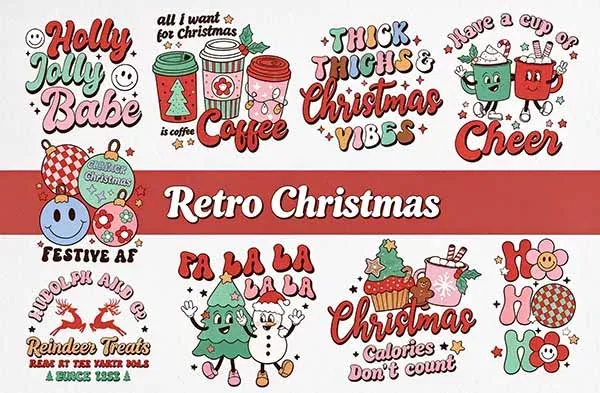
Check the current Retro Christmas bundle →
What is included in the Retro Christmas bundle?
| Listing detail | What it means for your project |
|---|---|
| 10 designs | Ten distinct artwork concepts in the bundle |
| 18 PNG files | Alternate versions are included, rather than 18 unrelated designs |
| Solid and distressed | You can choose a cleaner print or a worn, vintage texture |
| 300 DPI at 12 × 12 in | Listed artwork size corresponds to 3,600 × 3,600 pixels at that print resolution |
| Transparent background | The artwork can be placed over a blank color without a rectangular background, subject to the actual file |
The listing describes the designs as suitable for items such as cards, framed art, shirts, pillows, bags, mugs, stickers, tumblers, and phone cases. That is a list of possible applications, not a guarantee that every blank or printing method will work. The substrate and the printable area still matter.
Solid or distressed: which version should you use?
The solid version is the safer starting point when the artwork contains small text or thin details. It gives the design a more continuous shape and can be easier to read on a mug or shirt. The distressed version adds a worn texture that suits the retro look, but small gaps and speckles can disappear when the design is reduced or printed on a textured surface.
Open both versions at the final print size. If the distressed marks merge into the background or disappear at the size you need, use the solid version. If the blank is large and smooth, the distressed version may preserve more of the vintage effect.
How the bundle fits different blanks
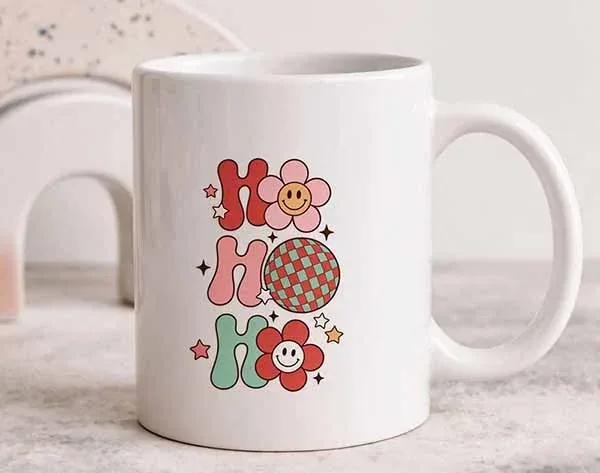
Mugs and drinkware
Mugs: measure the printable area
A mug has a limited print zone and a handle that interrupts the available space. Use the blank supplier's template to check width, height, and handle clearance. A design that fits a square canvas may need resizing or repositioning to avoid wrapping into the handle area.
Important: Traditional sublimation requires a mug with a sublimation-ready polymer coating. A regular ceramic mug is not automatically compatible. Use the press settings supplied for the specific mug and press.
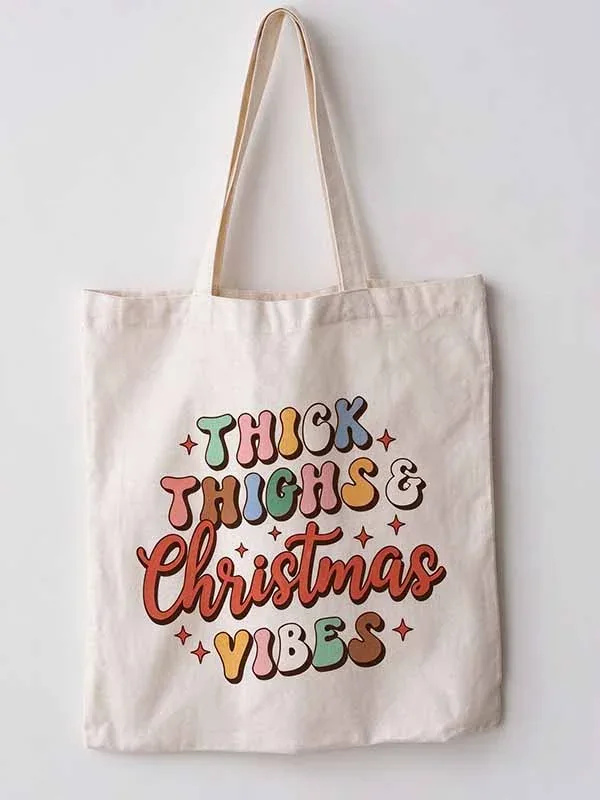
Totes and fabric bags
Totes: check the fabric composition
For traditional sublimation, choose a light-colored polyester tote or a blank specifically made for sublimation. Cotton canvas does not behave like polyester under standard dye-sublimation; use a transfer process designed for cotton if that is the fabric you have.
Placement tip: Measure the flat print area and keep the design away from seams and handles. A centered design usually looks more balanced than one sized to the full tote width.
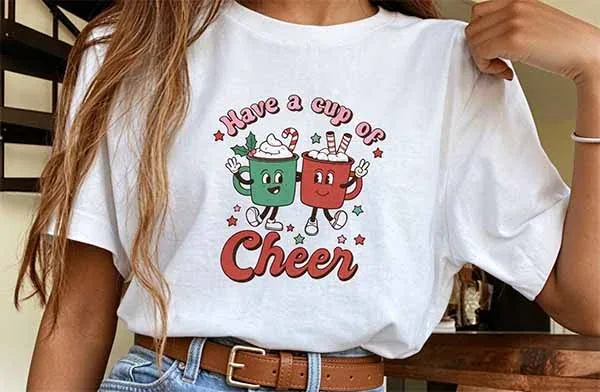
T-shirts and apparel
Shirts: fabric and color change the result
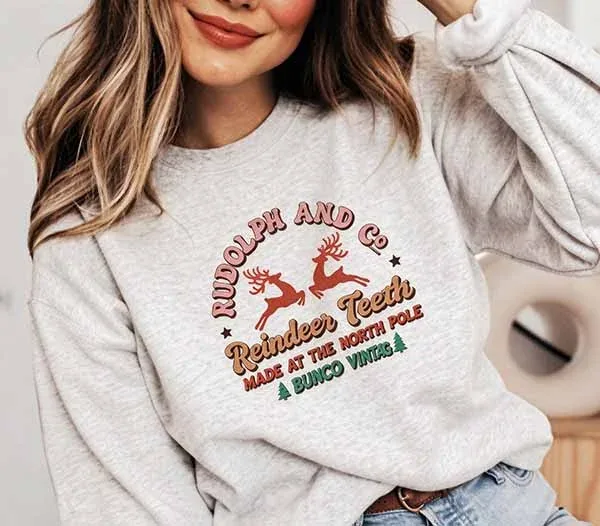
Traditional sublimation works best on white or light-colored polyester fabric. It does not print white ink, so white areas in the artwork take on the shirt color. A dark or cotton-heavy shirt will not reproduce the same look as the white-shirt mockup.
Placement tip: Check the design against the actual shirt color and size. Fine distressed marks may be less visible on heathered or textured fabric.
Alternate artwork and colorways
Use the extra files with a plan
The 18-file count gives you options, but it is worth naming and organizing the files before production. Separate the solid and distressed versions and keep the original ZIP untouched. Make a proof for each blank color instead of assuming one version will suit every item.
Resolution: what 300 DPI at 12 × 12 inches tells you
At 300 pixels per inch, a 12-inch-wide image needs 3,600 pixels across. That gives you a useful reference for a print around 12 inches wide. If you enlarge the artwork beyond its intended dimensions, the effective pixel density falls. For example, a 3,600-pixel image printed at 18 inches is about 200 pixels per inch. It may still look acceptable depending on the artwork and viewing distance, but the detail will not be the same as a native 300-PPI print.
Check the actual pixel dimensions in the downloaded file. A DPI label in metadata does not add missing detail to a small image. Also inspect the transparency: a transparent background should allow the blank color to show through, but a mockup image may have a solid background that is not part of the artwork.
Basic sublimation workflow
- Open the PNG in a design program and size it to the blank's usable print area.
- Choose the solid or distressed version based on the size, color, and texture of the blank.
- Print using a sublimation printer, sublimation ink, and compatible transfer paper. A regular inkjet printer with ordinary ink is not a substitute.
- Mirror the artwork when required by the printer, transfer, and blank workflow; check the supplier's instructions.
- Secure the transfer so it cannot shift during pressing. Follow the blank and press manufacturer's temperature, time, and pressure settings.
- Use appropriate heat protection and allow the blank to cool as directed before handling.
Traditional sublimation relies on polyester fibers or a polymer coating. Epson's sublimation guide explains the importance of polyester or coated blanks and the lack of white ink. Sawgrass also explains substrate compatibility in its paper and material guide.
License and selling finished products
The Creative Fabrica product page advertises a commercial license, but you should still read the license that applies to the exact download. The current subscription license is version 1.6, effective April 10, 2026. Check physical end products, client work, print-on-demand, and digital end products separately. Do not redistribute the original PNG files, share the ZIP, or sell the artwork as a standalone digital download. Creative Fabrica's subscription license also has specific rules for using fonts and graphics after a subscription ends, so keep a copy of the applicable terms and download record.
Frequently asked questions
How many designs and files are included?
The linked listing describes ten designs supplied as 18 PNG files, with solid and distressed versions. Check the ZIP after download to confirm the current contents.
Are the PNGs transparent?
The listing describes a transparent background. Confirm the actual downloaded files in an image editor before printing; product mockups may show a background that is not part of the PNG.
Can I use the bundle on cotton?
Traditional sublimation does not bond to cotton in the same way it bonds to polyester. Use a compatible polyester blank or a separate transfer method specifically designed for cotton.
Can I use a regular inkjet printer?
Not with ordinary ink for traditional sublimation. Use a printer and ink system designed for sublimation, along with compatible transfer paper and blanks.
Is the bundle free?
Download options can change and may depend on a freebie offer or subscription. Check the current product page and checkout terms before downloading.
Bottom line: The bundle's strongest point is the choice between ten retro designs and 18 PNG variants. Its usefulness depends on whether the pixel dimensions, blank material, color, and license fit the product you plan to make.