
Christmas artwork can look similar in a mockup while the downloads behind it are very different. One item may be a transparent PNG for printing, another may be a vector wrap for cutting, and a bundle may contain several designs with alternate versions. This roundup looks at five seasonal options and explains what each file is actually suited to before you choose a mug, ornament, shirt, or glass can.
Five Christmas design options at a glance
| Design | What the listing says | Good fit | Check before making |
|---|---|---|---|
| Christmas Glass Can Wrap 16 oz | SVG, PNG, EPS, DXF, JPG | Glass-can wrap or cut-file project | Wrap dimensions, can shape, and whether the blank is sublimation-coated or intended for vinyl |
| Funny Christmas Sublimation PNG | Transparent PNG, 300 DPI; not an SVG cut file | Mug, shirt, pillow, or printed artwork on a compatible blank | Pixel dimensions, print size, and printer/blank workflow |
| Christmas in Heaven Ornament | Memorial ornament design preview | Personal remembrance ornament | Exact format, wording, size, and ornament surface |
| Vintage Santa Sublimation Bundle | 6 PNG files, 300 DPI, 12 × 12 in, no watermark | Pillow, tote, shirt, or seasonal print | Pixel dimensions, transparent background, and blank compatibility |
| Retro “Have a Cup of Cheer” style | Part of a 10-design, 18-PNG retro bundle | Retro mug, tote, and apparel projects | Solid/distressed variant, printable area, and full bundle license |
Five designs and how to use them
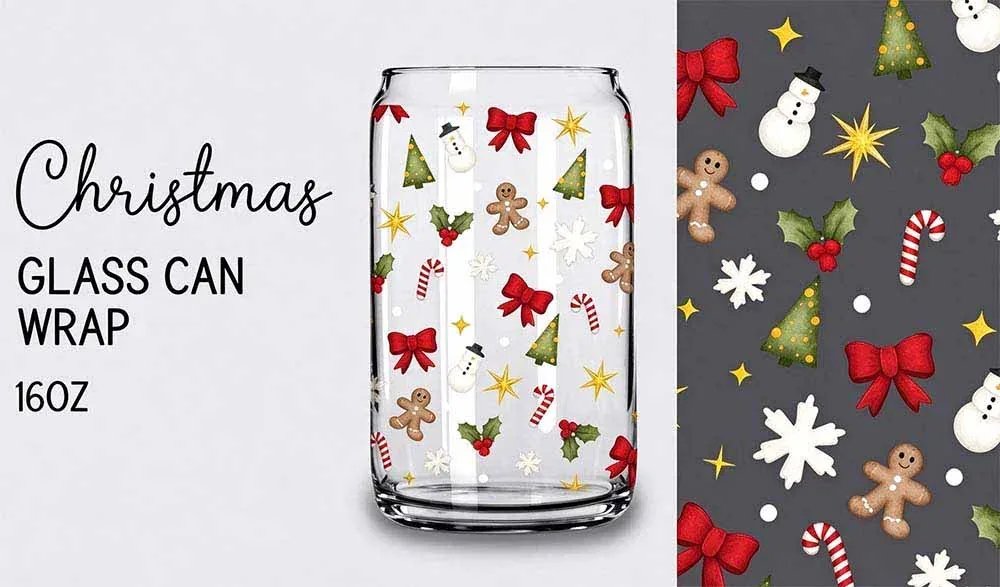
Glass-can wrap · vector and raster formats
1. Christmas Glass Can Wrap 16 oz
This is the one to treat carefully. The Creative Fabrica listing describes a 16-ounce glass-can wrap and lists SVG, DXF, EPS, JPG, and PNG formats. That makes it more than a simple PNG download. The SVG or DXF may be useful for a cut-file workflow, while the raster files serve a different purpose.
Before you make it: Check the actual wrap width and height against your specific glass can. A 16-ounce label does not guarantee every can has the same circumference or printable area. If you plan to use adhesive vinyl, confirm that the design is a cut file. If you plan to sublimate, the glass must be manufactured with a sublimation-ready polymer coating; ordinary glass will not take traditional sublimation dye.
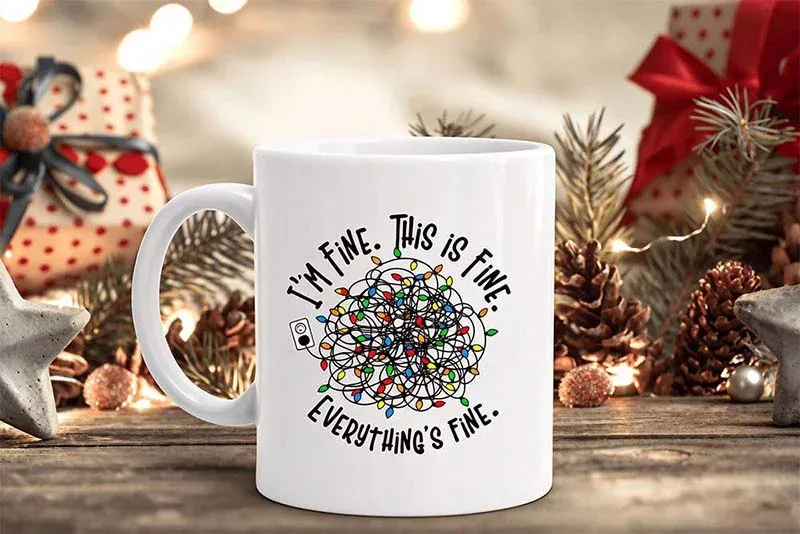
Single transparent PNG · 300 DPI
2. Funny Christmas Sublimation PNG
The listing describes a transparent-background PNG at 300 DPI and explicitly warns that it is not an SVG cutting file. That is useful to know before opening Cricut Design Space: this artwork is intended for printing, not for separating into clean vector vinyl layers.
Best fit: a mug, shirt, pillow, or other print-based project where the artwork can be sized to the blank. Before printing, inspect the pixel dimensions and confirm how large the design can be used without becoming soft. For a sublimation mug, use a blank with a suitable polymer coating and follow the mug supplier's press settings.

Memorial theme · wording matters
3. Christmas in Heaven Ornament
This design has a different purpose from a novelty mug graphic. It is a memorial-style Christmas ornament, so the wording and tone are central to whether it feels appropriate for the person receiving it. The preview shows a keepsake-style composition rather than a general holiday slogan.
Before you download: Confirm the exact file formats and whether the listing supplies a print-ready image, a cut file, or both. Check spelling and any personalization options carefully. If you are making a sublimation ornament, choose a blank specifically coated for sublimation; if you are using a different transfer method, follow that material's instructions.
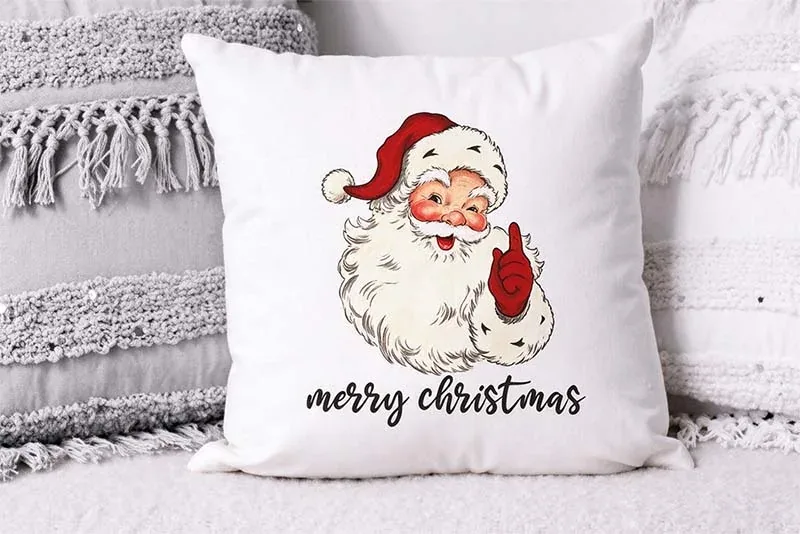
Six PNG designs · 300 DPI · 12 × 12 in
4. Vintage Santa Sublimation Bundle
The linked listing describes six PNG files at 300 DPI and 12 × 12 inches, without a watermark. That is a clearer specification than a generic “high resolution” claim, although you should still inspect the downloaded pixel dimensions and background before using the artwork.
Best fit: larger seasonal prints such as a pillow front, tote, or shirt. The vintage Santa style suits projects where a single illustration is the main feature. Compare the artwork with the blank color before printing; standard sublimation does not print white ink, so white areas in the file will show the color of the blank underneath.
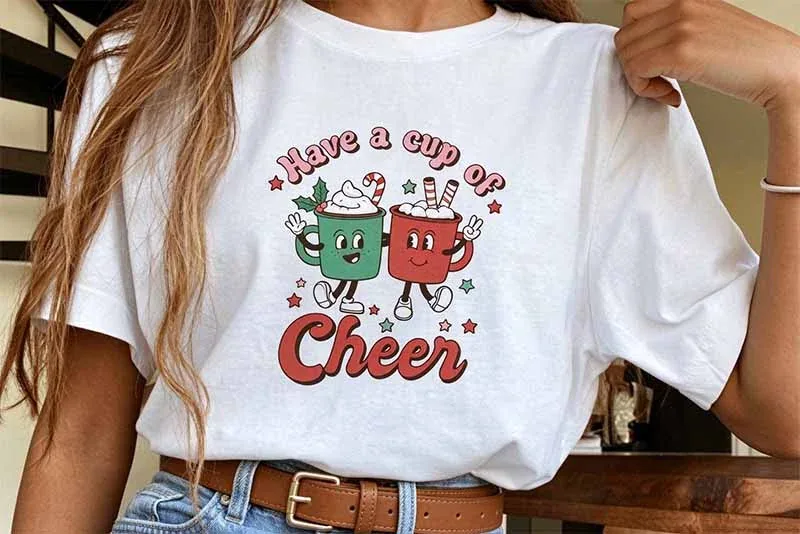
Retro bundle style · solid and distressed versions
5. Retro “Have a Cup of Cheer”
This cheerful retro style is part of the larger Retro Christmas Sublimation Bundle featured in our dedicated bundle guide. The bundle listing describes ten designs supplied as 18 PNG files, with solid and distressed variations. That is useful if you want to compare a cleaner print with a worn-in vintage look.
Best fit: mugs, totes, and light-colored apparel where the design has enough room to read. Choose the solid or distressed version based on the blank and the visual effect you want; distressed details can disappear if the final print is too small.
What you need for traditional sublimation
A PNG is only the artwork. Traditional dye sublimation also needs a printer configured for sublimation ink, compatible transfer paper, a heat press, and a blank designed for the process. The dye bonds with polyester fibers or a polymer coating. For fabric, white or light-colored polyester usually gives the most predictable result; for mugs, glass, metal, or other hard goods, confirm that the surface has a sublimation-ready coating.
A regular inkjet printer with ordinary ink does not become a sublimation printer because the file is a PNG. Cricut Print Then Cut is a separate workflow: Design Space sends a design to a compatible home printer and then the Cricut cuts its outline. It is useful for stickers and printable iron-on, but it is not the same as printing with sublimation ink. See Epson's sublimation overview and Sawgrass's ink and material guide for substrate compatibility.
Five checks before you print
- Confirm the file type. Is it a transparent PNG, a vector cut file, or a bundle with both? Do not rename an extension and expect the artwork to change format.
- Check pixel dimensions. 300 DPI is useful only when the pixel dimensions support the physical print size you want.
- Check the background. A transparent PNG and a white-background JPG behave differently on a colored blank.
- Match the blank. Use polyester fabric or a polymer-coated hard blank for traditional sublimation. Cotton and ordinary uncoated glass are not equivalent substitutes.
- Use the blank maker's settings. Time, temperature, pressure, and peel instructions vary by blank, transfer paper, ink, and press.
Frequently asked questions
Are all five designs SVG files?
No. The Funny Christmas design is described as a transparent PNG and not an SVG cut file. The 16-ounce glass-can wrap listing includes vector and raster formats. Check each linked product for its exact download contents.
Can I sublimate onto a regular glass can?
Only if the glass has a sublimation-ready polymer coating. A standard uncoated glass can is not automatically suitable for traditional sublimation.
Can I use a regular inkjet printer?
Not with ordinary ink for traditional dye sublimation. Use a printer and ink system intended for sublimation, or order a transfer from a print provider.
Will white parts of a PNG print white?
Traditional sublimation does not use white ink. White areas generally take on the color of the blank, so a white or light-colored substrate is usually the safer choice.
Bottom line: Start with the blank and the printing method, then choose the file. A transparent PNG is not automatically a cut file, and a product mockup is not proof that every mug, glass, or shirt will accept sublimation.