
Dancing Christmas is a decorative handwritten script font. It has the kind of flowing lettering that can work beautifully on a short greeting card message, but the same thin joins and extended strokes can become difficult to cut when the words are reduced for a mug or small gift tag. Here is how to judge the font for a Cricut project before downloading it.
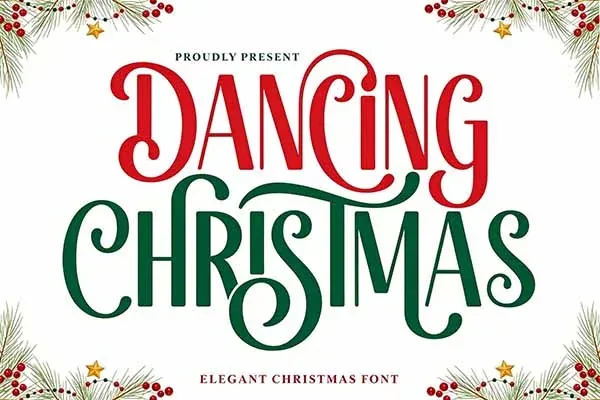
Check the Dancing Christmas font listing →
Where this script style works best
| Project | Fit | Why | What to check |
|---|---|---|---|
| Greeting cards | Strong | Short phrases have room for the flowing letterforms | Thin strokes at print size and punctuation |
| Gift tags | Conditional | A name or two-word greeting can look personal | Whether the smallest joins remain visible |
| Shirts and HTV | Conditional | Works better as a larger chest or back graphic | Weeding difficulty, connected letters, and stroke width |
| Mugs | Conditional | Short lettering can fit a curved print area | Finished width, handle clearance, and thin strokes |
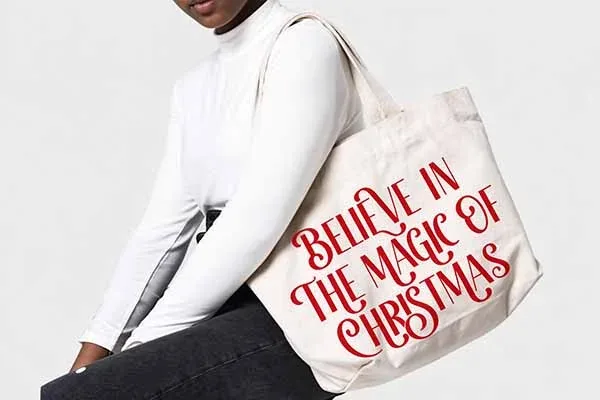
| Large tote or sign | Strong | The larger area gives swashes room to breathe | Letter spacing and whether the font remains readable from a distance |
Check the actual glyphs, not just the sample word
The Creative Fabrica listing identifies Dancing Christmas as PUA encoded. PUA stands for Private Use Area: some decorative alternates and special glyphs are mapped to code points outside the standard character range. You may not be able to type every alternate from an ordinary keyboard. If you want a swash or alternate letter, check the glyph preview and the font's installation or character-access instructions.
Before you download, test the exact words you plan to make. Try uppercase and lowercase letters, numbers, punctuation, and any names with accented characters. A font specimen may show an attractive phrase but omit a character you need. Do not assume that every font includes a complete alphabet or all punctuation.
How the font looks on different projects
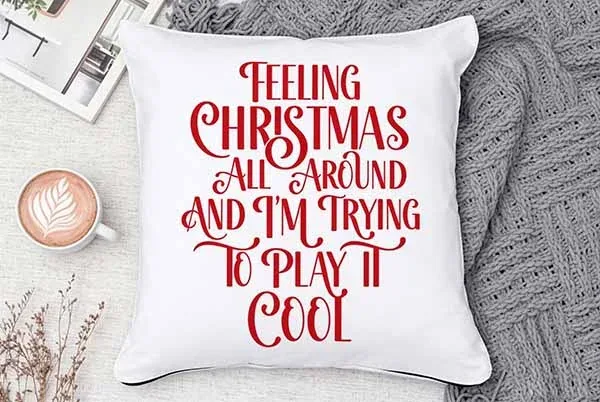
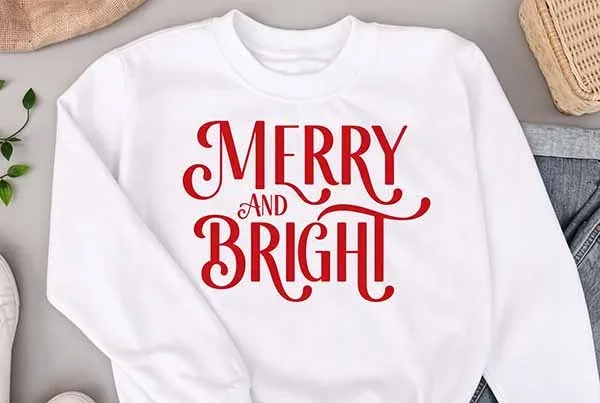
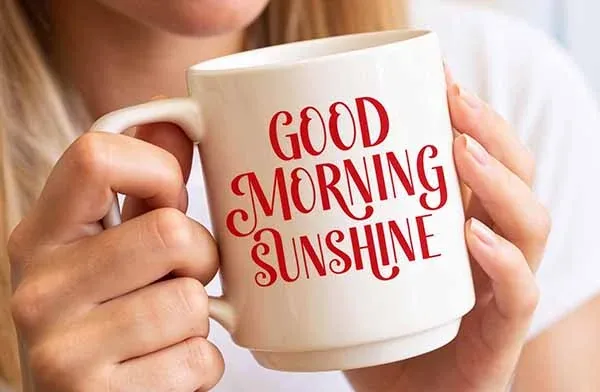
How to use a script font in Cricut Design Space
- Check the font file type. Confirm whether the download contains OTF, TTF, or another supported font format for your operating system. The current product page should be the source for this detail.
- Install the font. Install it on your computer using the operating system's font manager. Restart Design Space if the font does not appear in the system-font list.
- Type the final wording. Check letter spacing and the joins between connected characters. A script may look connected in the specimen but separate at your chosen size.
- Size it for the material. Increase the size if the thinnest strokes become too fragile to cut or weed.
- Make a test cut. Use scrap vinyl or cardstock and inspect the smallest letters before cutting the final material.
- Prepare a shareable SVG. When the wording is final, convert the text to outlines or weld the letters as needed. Keep an editable copy separately in case you need to change the wording.
Cricut Design Space can use system fonts installed on the device. Its font picker also distinguishes Cricut fonts from system fonts, and the available workflow can vary by desktop or mobile platform. See Cricut's official guide to working with text.
Five common problems with script fonts
- Letters look detached: the font may not have connected joins at the size you chose. Adjust spacing or use a larger size if the license and design allow it.
- Weeding takes too long: thin strokes and tiny counters can create fragile vinyl pieces. Simplify the phrase or choose a heavier typeface.
- Special glyphs are missing: the alternate may be PUA encoded. Use the font's glyph preview or character map rather than assuming it is typed with a normal key.
- The font is not in Design Space: confirm installation and remove filters that hide system fonts; restart the application.
- The SVG changes on another computer: the recipient may not have the font. Convert final text to paths before sharing the SVG, but keep the original editable text file.
License: free download does not mean unrestricted use
The product page may show a freebie or subscription download option, and those terms can change. The current Creative Fabrica subscription license is version 1.6, effective April 10, 2026. Read the license attached to the exact download. Check whether it covers personal projects, client work, finished physical products, print-on-demand, and digital end products. Creative Fabrica's subscription license also distinguishes fonts and graphics from craft files when it comes to creating new products after a subscription ends. It does not permit redistributing the original font file to a customer or client.
For a single client project, check whether the client needs the finished outlined artwork or the actual font file. Those are not the same thing. If another person needs the font itself, they may need their own license.
Is Dancing Christmas the right font for your project?
Choose it when you want a graceful, handwritten holiday look and the wording is short enough to stay readable. It is less suited to tiny gift tags, dense paragraphs, or intricate vinyl designs where the strokes become difficult to weed. If you are comparing several styles, our eight Christmas fonts for Cricut guide puts script, handwritten, and display styles side by side.
Frequently asked questions
Is Dancing Christmas free?
The Creative Fabrica page may show a free download or subscription option, but access terms can change. Check the live listing and checkout before downloading; do not assume the same offer applies to every account.
Does Dancing Christmas work with Cricut?
The linked listing identifies Cricut compatibility. You still need to install a supported font file on your device and check the current Design Space workflow. The listing's compatibility tag is not a guarantee that every glyph will cut cleanly at every size.
What does PUA encoded mean?
It means some special glyphs use Private Use Area code points. They may need to be inserted through a glyph viewer or character map instead of a standard keyboard key.
Can I sell products made with the font?
Only if the license for the exact download permits your intended product and sales channel. Do not distribute the font file itself with the finished product.
Should I convert the text to outlines?
For a shareable SVG, outlining the final text helps preserve its appearance on another computer that may not have the font installed. Keep an editable copy separately so you can revise the wording later.
Bottom line: Dancing Christmas is best treated as a decorative display script for short wording. Preview the exact glyphs, test at the final size, and check the license before making products for sale.