
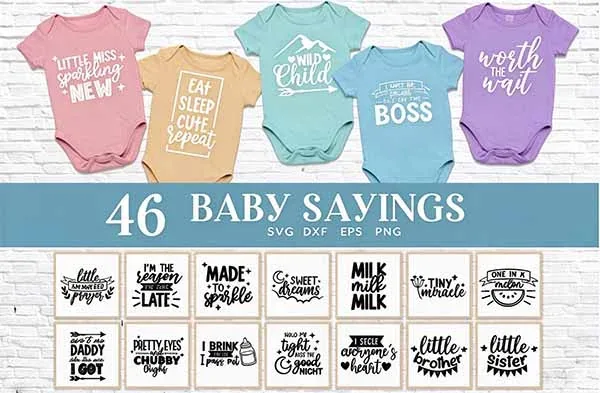
A bundle with 45 baby sayings sounds like an easy way to make personalized onesies, baby tees, and shower gifts. The real value depends on the files inside, how readable the phrases remain at newborn-garment size, and whether the license covers the way you plan to use them. Here is what the linked Baby Sayings Newborn Bundle includes and what to check before cutting the first design.
Check the current 45-design bundle →
What the 45-design bundle includes
| Format | Listed quantity | What it is useful for |
|---|---|---|
| SVG | 45 | Vector cut paths for compatible cutting software |
| EPS | 45 | Vector artwork for compatible design applications |
| DXF | 45 | Vector exchange format for supported cutting workflows |
| PNG | 45 | Raster previews or print-based uses, depending on the supplied resolution and background |
The listing preview includes short phrases such as “But first milk” and “Crib hair don't care.” The bundle is therefore more useful for quick, readable garment statements than for detailed character illustrations. Still, the exact phrase list matters: read the text in the downloaded files rather than relying on a thumbnail, especially when making a gift for a specific family.
Which designs are likely to work on a onesie?
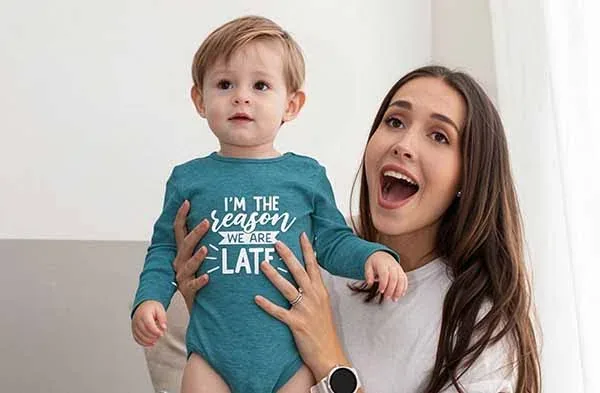
Newborn and infant garments have a much smaller usable print area than an adult shirt. A phrase that looks balanced across a full-size T-shirt can dominate a small onesie or run into snaps and seams. Short phrases are usually easier to size and read. Before cutting, measure the flat garment and leave room around the neck, leg openings, snaps, and side seams.
Small garment placement
Onesies and bodysuits
Use one short phrase and keep the design clear of snaps, seams, and areas that fold when the baby moves. A simple line of text is generally easier to read than a long phrase with fine decorative elements.
Check: Measure the garment in its actual size, not from an adult-shirt template. Make a paper mockup at the intended dimensions before cutting HTV.
A little more room
Baby tees and toddler shirts
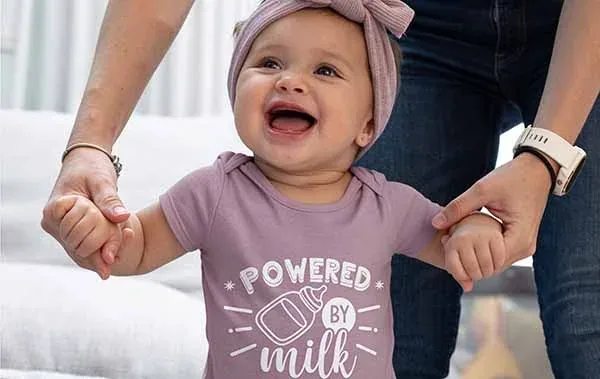
A baby tee may allow a wider phrase than a newborn bodysuit, but check the size label and actual flat measurement. The design should sit comfortably within the chest area and remain readable after the garment is worn and washed.
Check: Make sure the font weight is thick enough for the HTV you are using. Thin script joins can lift or become difficult to weed when reduced.
Gift and keepsake use
Shower gifts and keepsakes
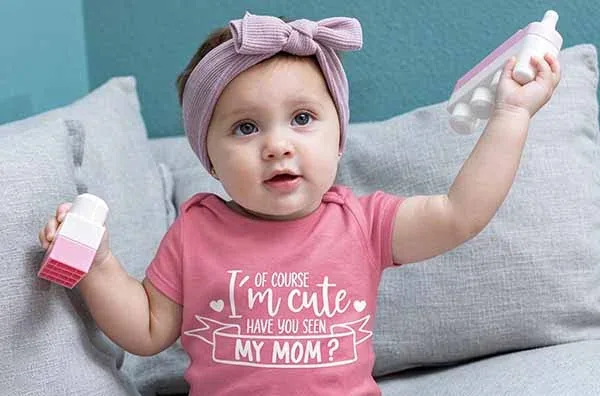
For a gift, choose a phrase that suits the family's sense of humor and the occasion. Avoid assuming every saying is appropriate for every recipient. If the design is personalized, check spelling and punctuation before cutting; mirrored HTV makes mistakes less obvious until the transfer is applied.
HTV workflow: measure, cut, press, and care
- Check the license and file. Confirm that the downloaded design is included in the bundle and that the license permits your intended personal or commercial use.
- Measure the garment. Work from the actual size and usable chest area. Keep the transfer away from seams, snaps, and areas that may rub against the skin.
- Choose garment-compatible HTV. Use a heat-transfer material that the maker identifies as suitable for the fabric. Different HTV types have different application settings.
- Mirror when required. Standard cut HTV is commonly cut with the design mirrored and the liner facing the mat. Follow the specific HTV instructions and check the mat preview.
- Test the cut and application. Use a small test shape and, where appropriate, test on a similar fabric before pressing the finished garment.
- Follow care instructions. Use the HTV manufacturer's time, temperature, pressure, peel, and washing guidance. Do not assume one setting works for every garment.
Cricut's HTV instructions recommend checking the Heat Guide for the specific base material and transfer, and avoiding seams where the heat plate cannot apply even pressure. The settings for a particular vinyl may differ from another brand or fabric.
Baby clothing: practical safety and comfort checks
Use materials intended for clothing and follow the garment and transfer manufacturers' instructions. Keep the finished design smooth and securely applied. Avoid loose embellishments, detachable pieces, or small add-ons that could come away from the garment. Do not put a transfer over snaps, seams, or places where a thick edge could irritate the skin. If you are making items for sale, check the product and textile safety requirements that apply in your market rather than assuming a craft-file license covers product compliance.
What the bundle is—and is not—good for
- Good fit: quick phrase-based onesies, baby tees, shower gifts, labels, and simple paper or stationery projects.
- Less suitable without extra work: tiny garment placements, very fine script, projects that require color-separated layers not present in the download, or a commercial product line where the license has not been checked.
- Not included: physical garments, HTV, a heat press, or a finished product. This is a digital download.
License: keep the bundle and finished product separate
Creative Fabrica’s subscription license page currently identifies version 1.6, effective April 10, 2026. It permits certain finished physical products, but it does not let you redistribute the original SVG, EPS, DXF, or PNG files. Check whether the listing is categorized as a Craft or a Graphic: the rules for creating new sellable products after a subscription ends are different. Keep a copy of the license version and download date with your project records.
Frequently asked questions
Does the bundle include 45 designs in every format?
The linked listing describes 45 SVG, 45 EPS, 45 DXF, and 45 PNG files. Confirm the current ZIP contents after download, since product bundles can be revised.
Can I use the files in Cricut Design Space?
SVG is the most direct vector cut-file format for Design Space. PNG is raster artwork and follows a different upload process. DXF is not supported for uploads in Cricut's iOS and Android apps, so check your device workflow.
Can I sell onesies made with these designs?
Only if the license attached to the exact download covers physical products and your intended sales channel. A commercial-use label does not allow you to resell or share the original SVG, PNG, or font file.
Can I use a household iron?
Only when the HTV manufacturer supports that method and provides instructions for it. A heat press is easier to control, but the material maker's settings should be followed either way.
Bottom line: The bundle offers a substantial set of baby-themed phrases in four listed file formats. Its value comes down to readable design sizing, garment-safe placement, compatible HTV, and a license that matches how you intend to use the finished items.