
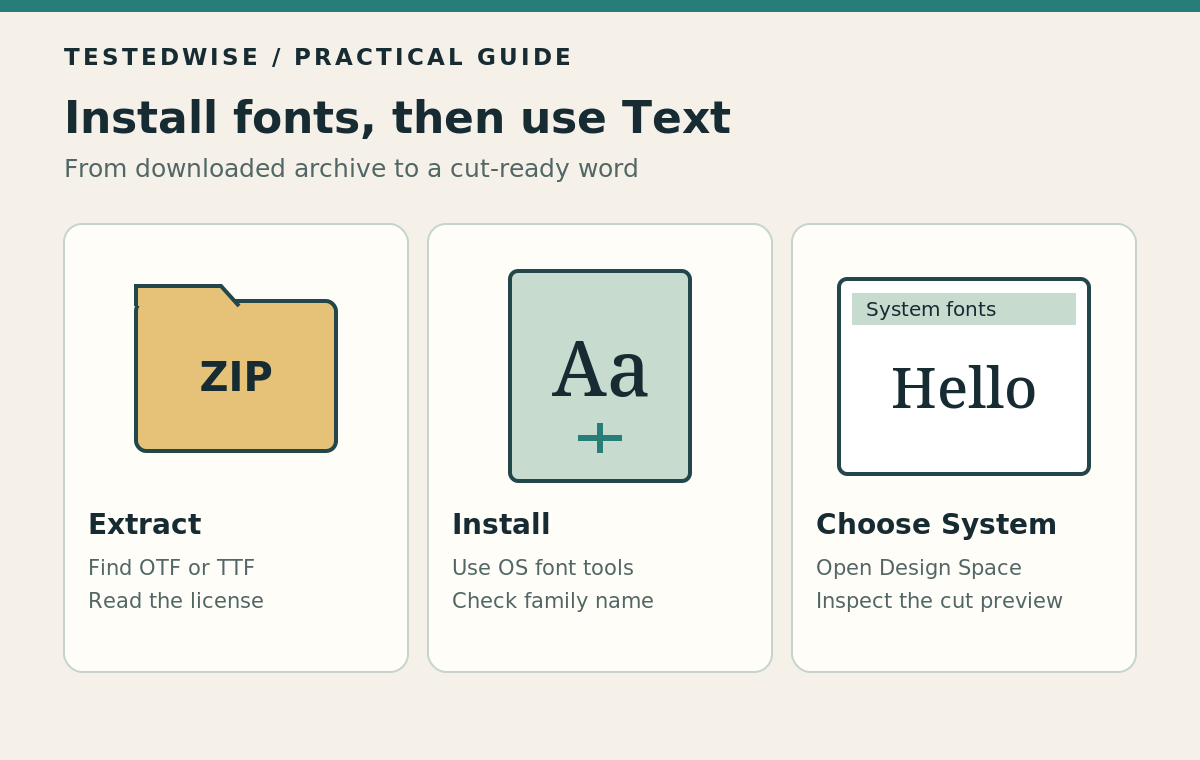
To use a downloaded font in Cricut Design Space, install the font on your device first, then open a text box and select it from System fonts. You do not upload an OTF or TTF file through the image-upload screen. If the font is missing, check that it is installed under the right family name before troubleshooting the Cricut project.
Find the actual font inside the download
A font bundle often arrives as a ZIP archive with a preview, licensing notes and several font files. Extract it into its own folder. Look for .otf or .ttf files; a .png is an image, and an .svg is vector artwork. Both can be useful for a finished design, but neither installs as an editable font. WOFF and WOFF2 are typically intended for web use, not this installation workflow.
| File | What to do |
|---|---|
| ZIP | Extract before choosing a file |
| OTF / TTF | Install using the device font manager |
| SVG | Import as artwork, not editable type |
| PNG / JPG | Import as a raster image when appropriate |
| PDF / TXT | Read instructions and license |
If a bundle contains the same style in OTF and TTF, start with one version. Installing both can create duplicate family entries. Keep the original ZIP in a project archive. A listing may include several separate styles, so check the file names and the font preview instead of relying on the cover image.
Install the font on Windows or Mac
Windows: Close Design Space, extract the download, and open the intended font file to inspect its preview. Use Windows’ font installation command on the file, then verify the family in Settings → Personalization → Fonts. Reopen Design Space after the font is installed. Microsoft also documents installation for all users if that is appropriate for your computer; respect the asset’s device and user license.
Mac: Extract the archive and open the font in Font Book. Install it for your user, resolve any validation warnings and verify its family name. If an older copy is installed, use Font Book’s duplicate management rather than randomly deleting files. Restart Design Space if its font list has not refreshed.
Only install fonts from sources you trust. A font file is not a reason to run an unknown executable or disable operating-system security. If a downloaded package asks you to do either, stop and obtain the actual font file from the original source.
What about iPhone, iPad and Android?
On iPhone or iPad, saving an OTF in Files is not the same as installing it. Use a trusted, device-compatible font installer and review the system’s installation prompts. Check the installed fonts under the device’s font settings, then check Design Space’s System list. Not every installation method exposes a font to every app. Avoid installing unknown configuration profiles.
Android font access can vary with the device, version, manufacturer and installer. A theme font that changes the phone interface is not proof that Design Space can select it. If your device cannot expose the font through a supported installation method, use Windows or macOS for the editable design. A fixed SVG outline may be an alternative for cutting if the font license permits conversion for that project. Do not distribute the font itself.
If you switch devices halfway through a project, install the licensed font on the new device if permitted. A cloud project is not a license transfer or a guarantee that the second device has the same local font. Keep a copy of the editable project before changing the device or converting its text to cut geometry.
Select the font in Design Space
- Open or create a project and insert a text object.
- Select the text and open the font picker.
- Choose the System index or equivalent installed-font filter and search for the font family name.
- Select the desired style, such as Regular or Bold, if the font provides it.
- Type the final words and examine them at the intended physical width.
The file name and the internal family name can differ. A file named Sweet-Script-Regular.otf might be listed under Sweet Script instead of the full file name. Check the OS font preview. If the family does not appear, close and reopen the app, clear restrictive font filters and test another known installed font before reinstalling anything.
Cricut’s own library and your local fonts are separate. Buying or installing a third-party font does not require you to buy a similarly named Cricut font. If Design Space asks for payment at Make, inspect the rest of the project for Cricut library images or text styles that are not included in your access.
Prepare lettering that will actually cut well
A font that looks beautiful in a 300-pixel preview can fail on a one-inch label. Set the intended width early and examine the thinnest strokes and tiny enclosed spaces. For a script name, look where strokes overlap: a blade cutting through both outlines can separate letters you meant to join.
Design Space automatically handles touching kerned letters in its supported text workflow. If you ungroup letters or move them individually, check the preview again; Weld or Combine → Unite may be needed for touching shapes. Keep a separate editable text version before using a destructive geometry operation. Use Attach to preserve separate shapes on a mat, not to remove overlapping cut paths.
| Intended project | Design check |
|---|---|
| Vinyl name | Thin strokes and interior openings survive weeding |
| Paper card | Small islands do not tear or detach unintentionally |
| Pen-written tag | Use an appropriate writing style; outline fonts may draw double lines |
| Printable label | Check actual dimensions, resolution and print workflow |
| Long wedding sign | Inspect spacing, line length and readability from a distance |
Some decorative fonts include alternate glyphs or swashes. Check whether the character exists in your installed font and whether your software can insert it. Windows Character Map or macOS Character Viewer can help with supported characters; not every alternate is directly accessible in every app. If a copied glyph becomes a box or different letter, try the ordinary character or a licensed alternate workflow. Avoid editing a font file just to expose a swash.
Fix a downloaded font that does not show or cut properly
| Problem | Likely check | Next action |
|---|---|---|
| ZIP appears in Downloads | Not extracted | Extract and find OTF/TTF |
| Font visible in OS but missing in Cricut | App cache or filter | Restart app; search System by family |
| Two nearly identical fonts | Duplicate formats or styles | Verify the intended family in font manager |
| Letters have gaps or overlaps | Spacing or kerning | Review text spacing and Make preview |
| Script cuts through connecting strokes | Separate overlapping paths | Check kerned workflow or unite touching shapes |
| Missing accent or swash | Glyph absent or unsupported | Check font character coverage |
| Font unavailable on another device | Local installation differs | Install licensed font there or use permitted fixed artwork |
Try a short sample such as “Mia & Leo” at your actual final size. The ampersand, thin strokes and mixed case make it more revealing than a single uppercase letter. Cut it on scrap before preparing the entire sign. For paper, use the cardstock material guide; for format and operation issues, use the compatibility checker.
Choose a font and keep its license with your project
A font that can be installed is not necessarily licensed for commercial products. Save the purchase or download record, and check the intended use before creating goods for sale. Do not give your customer the OTF or TTF simply because the design needs that font. For Creative Fabrica resources, see the commercial license guide for the distinction between a finished phrase, digital assets and commercial listings.
If you are looking for a style rather than solving an installation problem, compare the wedding lettering guide, cute lettering guide or Christmas fonts for Cricut. Choose for the final size and material, not only the preview.
Frequently asked questions
Do I upload the font in Design Space?
No. Install OTF or TTF on the device, then select the installed family in the text tool.
Is OTF better than TTF for Cricut?
Either can work. The available characters, outline quality and device support matter more than the extension alone.
Can I use an SVG alphabet as a font?
You can import the individual letter artwork if licensed, but it is not an installed editable font.
Why did my script letters separate during cutting?
Inspect whether touching letter shapes are joined in the cut preview. Manually moved letters may need a union operation.
Can I use a downloaded font for free in Design Space?
Installed system fonts can be used without buying a matching Cricut library font, but the original font’s license and any other project charges still apply.