
Holiday lettering is rarely as effortless as its preview suggests. Denise Chandler’s Christmas Lights looks like an all-caps alphabet ready for cards and signs, but the light-strand effect and bonus words need a closer look before you plan a vinyl cut.
Affiliate disclosure: This article contains affiliate links. TestedWise may earn a commission if you purchase through them, at no additional cost to you. Read the full disclosure.

Some product links here are affiliate links. If you use one, TestedWise may earn a commission without changing your price. We checked the specific Creative Fabrica product page on November 17, 2026; prices, download routes and license rules can change. We separate publisher claims, visible customer feedback and our practical design advice.
1. What the Christmas Lights download actually offers
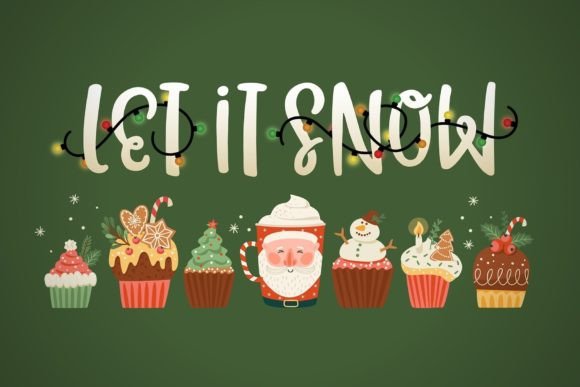
The listing calls it a bold, all-caps font and says the pack contains holiday words decorated with stringed lights. Those are two different working parts: a font for setting letters and prepared holiday wording or graphics that create the seasonal effect in the product gallery.
A 2025 buyer comment asks why the lights do not automatically appear around their own words; another buyer says they could only find premade words. The designer responded that an installable OTF font should be included for individual letters and numbers. That distinction matters much more than the attractive product cover. We would not promise that entering any phrase automatically adds a light wire around it.
- An OTF font is an installed typeface, not a prebuilt string-light illustration.
- The displayed bonus holiday words are graphic compositions; confirm which are included in the ZIP.
- The public listing does not establish that an arbitrary sentence is automatically decorated by the lights.
2. Best projects—and where it becomes awkward
Short, high-contrast holiday words make sense on large gift bags, seasonal signs, gift-box labels and paper cards. The lettering reads as playful and hand-drawn, so it suits an informal family or shop holiday design better than a very formal invitation.
A wraparound mug phrase has less room for decoration than a flat sign. On small gift tags, wires and bulbs may turn into tiny islands when cut from vinyl. If a design includes several colors of lights, every color layer adds alignment work. Do not plan a detailed multicolor cut until you have checked the actual artwork at its final dimensions.
- Paper card: print the colored effect instead of trying to weed each bulb.
- Large wood sign: keep letters big and simplify fine wire details.
- HTV tote: test a short word at production size on scrap material.
- Mug decal: avoid complicated tiny light bulbs near the curved edge.
3. Make your own phrase in Cricut Design Space
Install the OTF font on the computer you use with Design Space; then restart or reopen Design Space so the desktop app refreshes its font list. Add a Text object, choose the installed system font and type a test phrase such as “MERRY” before investing in the layout.
If the ZIP includes separate holiday word graphics, upload those as images rather than expecting them to appear when typing. Match the operation to the actual file type: print-then-cut for full-color raster art, or a Basic Cut operation for clean cut paths. A raster image is not automatically a single clean SVG path.
- Type the phrase and check letter spacing before welding or attaching.
- Make a test cut of one thin stroke and one bulb at the actual size.
- Use contour or simplify details only if the licensed artwork and file type allow it; keep original files intact.
- For multi-color artwork, check whether layers are already separated before promising easy weeding.
4. What buyers should verify before downloading
The product is shown as compatible with Windows, Mac, Linux, Cricut and Silhouette. That describes supported workflows, not a guarantee that every decoration cuts cleanly or that every file works the same way in every application.
The listing displays “Download for free,” but further down it states that this particular product is available as part of a subscription. It also advertises a free-trial download allowance. A trial offer can be useful, but it is not the same as a standalone, subscription-free gift. Check the latest terms before you sign up.
- Find the OTF file for editable letters and numbers.
- Confirm where bonus word graphics live and their file formats.
- Check punctuation and any non-English character needs in the font preview.
- Read the license for physical products and any print-on-demand plan.
View the exact Christmas Lights font on Creative Fabrica →
5. Review signals and an editorial verdict
The product page showed a 4.7 rating from 45 reviews when checked on November 17, 2026. The reviews include praise for the festive style, but the useful caution is practical: several people needed help distinguishing the font file from the bonus decorations. Those comments highlight a learning curve, not a measured failure rate.
Our take: choose Christmas Lights when you specifically want exuberant holiday lettering and are comfortable assembling the final design. For someone who needs to type custom names and instantly receive a finished string-light effect, the public description is not enough to assume that workflow exists. We have not installed the font or cut-tested the graphics.
6. License and download checklist
The product page says this font is available as part of Creative Fabrica’s subscription. The “free download” headline refers to a promotional offer, not confirmed perpetual no-trial access. Check the trial terms, renewal price, what happens on cancellation and which license applies to your intended commercial projects before downloading.
Font licenses can treat physical end products, digital templates, logo use, embedding and print-on-demand differently. Keep the applicable license with your project files, and never redistribute the source font in a customer download unless the license specifically allows it. The two official Creative Fabrica license pages below describe different acquisition routes; the one attached to your download controls.
- Confirm you are on the exact product page and designer, not a similarly named font.
- Preview the full glyph panel with any punctuation and accented characters your project requires.
- Inspect the downloaded file formats and install only trusted files from the official source.
- Test real-size legibility, print output or cutting behavior before making products to sell.
Check Christmas Lights download & license on Creative Fabrica →
7. Frequently asked questions
Is Christmas Lights an actual installable font?
The designer says the download should include an OTF font for individual letters and numbers. Verify the ZIP contents after download.
Will the lights automatically wrap around any words I type?
Do not assume so. The listing describes bonus holiday words; customer comments indicate the decorated effects may require separate graphics or assembly.
Does it work with Cricut?
The product page lists Cricut compatibility. Install the font and make a small test cut or print before committing to a larger project.
Is the Christmas Lights font free without a subscription?
The page currently says it is available as part of a subscription and advertises a trial. It does not show the no-trial freebie option available on some other products.
What if I only want a printable Christmas card?
Use a print-ready graphic or rasterize your finished layout for printing; that avoids tiny vinyl pieces and complex weeding.
Can I sell a shirt using the lettering?
The listing includes a commercial license, but the applicable terms depend on how you obtain the asset. Confirm the license and any POD conditions before selling.
More creative lettering guides
For a wider comparison of seasonal lettering styles, see our Christmas fonts for Cricut guide. For another font with a different design role, explore the Cute Cat decorative font, or return to Creative Assets & Templates.