
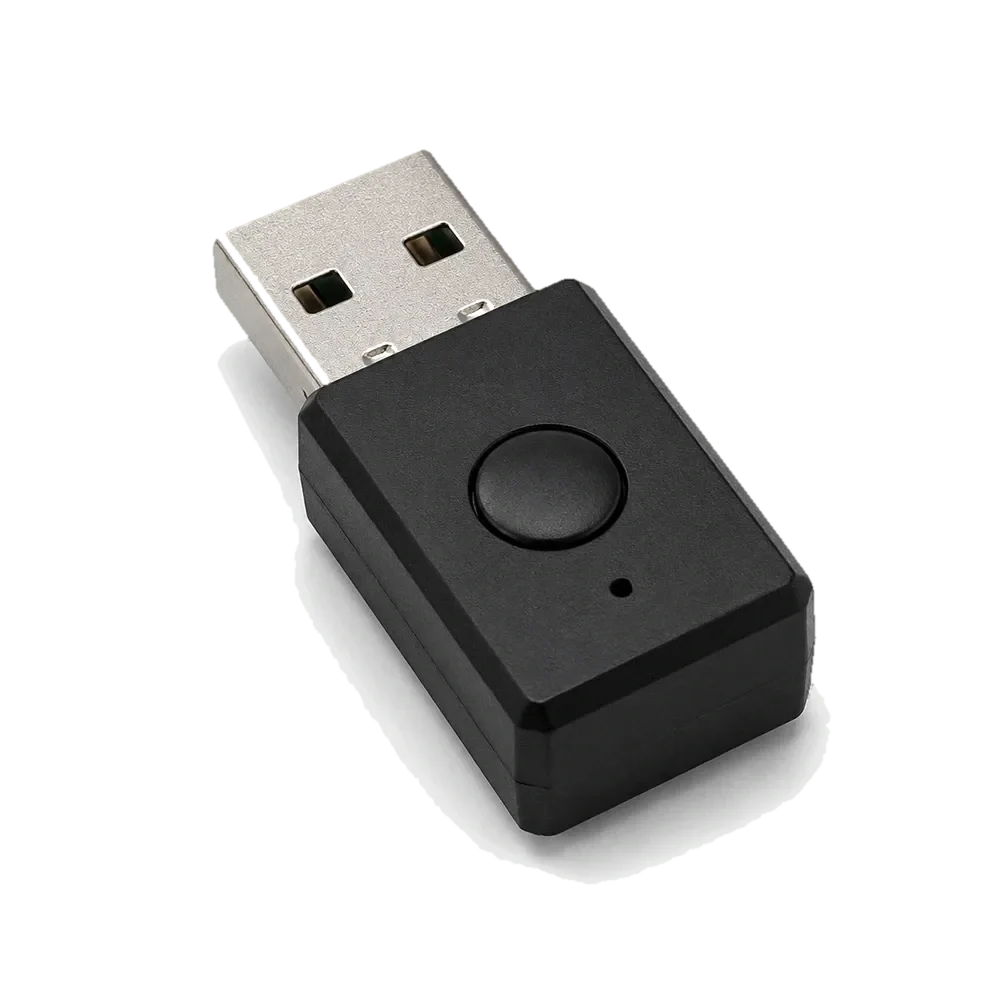
The YIOUG programmable USB mouse jiggler is a hardware input device with three operating modes: Coffee, Reading, and Custom. Its main distinction from a basic one-pattern device is the ability to configure and save a sequence of movement, scrolling, and timing steps to the device.
What the YIOUG device is
The device connects through USB-A and is designed to operate as a standard hardware input device. It does not require a resident desktop application or a traditional driver installation. Configuration is performed through a browser-based editor on a compatible Windows computer; the saved workflow is stored on the device.
Three operating modes
Coffee mode
Coffee mode runs the device's basic movement pattern, with small randomized cursor movements at intervals. It is intended for a legitimate keep-awake use on a personal computer, not for simulating human work or bypassing monitoring.
Reading mode
Reading mode adds slow page scrolling with pauses and occasional movement. It is intended for situations where a user is reading long pages and wants a personal computer to remain awake. Scroll behavior depends on the page and application.
Custom mode
Custom mode runs a workflow that has already been created and saved in the browser editor. Users can arrange supported movement and scrolling actions and set how long each step runs. Custom mode is the playback mode; it is not the configuration mode.
How configuration works
- Use a compatible Windows computer and a supported browser for the device editor.
- Long-press the device button for approximately six seconds to enter configuration mode. The LED indicates the configuration state.
- Connect to the browser-based editor and arrange the supported workflow steps and durations.
- Save the workflow to the device before returning to normal operation.
- Use a normal short button press to switch operating modes.
If Custom mode is selected before a workflow has been saved, the device may open the browser-based setup page to guide first-time configuration. This is expected setup behavior, not a background desktop application. Read the instructions before connecting the device, especially on a managed computer.
Compatibility and limitations
- Operating system: the browser-based configuration workflow is designed for Windows. macOS is not supported by the current setup process.
- Connection: USB-A. A suitable adapter may be needed on computers that have only USB-C ports.
- Configuration: a compatible browser is needed to edit and save a workflow; saved settings run from the device afterward.
- Purpose: the device generates input movement and scrolling. It does not complete tasks, verify work, or guarantee that a computer will remain awake under every power-management policy.
- Managed devices: use only when permitted by the organization that manages the computer.
Is a programmable model worth choosing?
A basic device may be enough if the only need is to prevent a personal computer from sleeping during a legitimate unattended process. The YIOUG model is more configurable because it offers a reading mode and saved workflows. That added flexibility is useful only if you will actually configure and use those functions.
Before buying, compare the current price, USB connector, Windows compatibility, browser setup requirement, and return policy. We have not independently tested the hardware or measured its long-term reliability, so this page describes the published product features rather than making durability claims.
YIOUG Programmable Mouse Jiggler
Check the current listing for the exact model, USB connector, included instructions, and return terms.
View current product listing →Frequently asked questions
Does Custom mode configure the workflow?
No. Custom mode plays a workflow that has already been saved. Long-press the button to enter configuration mode and use the browser editor to create or change the workflow.
Does it require software running in the background?
The product is designed to run as a USB hardware device and does not require a resident desktop application. The browser editor is used for configuration.
Does it work on macOS?
The current browser-based configuration workflow is designed for Windows. Do not assume macOS compatibility unless the manufacturer updates its supported-platform documentation.
Can it bypass employer monitoring?
No such guarantee should be assumed. Use it only where permitted, and never treat cursor movement as evidence of work or task completion.
Bottom line: YIOUG's value is its three-mode design and onboard saved workflow. It is best suited to users who need that configuration on a compatible Windows personal computer and are comfortable with a browser-based setup step.