
The Logitech G305, Lenovo 530, and Acer OMR266 are all wireless mice, but they are not aimed at the same kind of buyer. Logitech gives you a gaming-grade sensor and programmable buttons, Lenovo keeps things light and simple for everyday laptop use, and the Acer listing offers a larger right-handed shape with extra side buttons. The best choice comes down to hand fit and the features you will actually use.
This guide uses the supplied product records for Logitech model 910-005280, Lenovo part number GY51K24400, and Acer OMR266. Logitech and Lenovo specifications were checked against their manufacturer pages; the Acer details come from the supplied model listing and its product information page. This is a specification-led comparison, not a hands-on tracking, latency, or durability test.
Logitech G305 vs Lenovo 530 vs Acer OMR266: at a glance
| Feature | Logitech G305 | Lenovo 530 | Acer OMR266 |
|---|---|---|---|
| Primary use | Gaming and general use | Everyday office and travel | General use with contoured right-hand shape |
| Sensor / sensitivity | HERO optical, 200–12,000 DPI | 1,200 DPI optical | 800 / 1,200 / 1,600 DPI |
| Wireless connection | 2.4 GHz LIGHTSPEED USB receiver | 2.4 GHz nano USB receiver | 2.4 GHz USB-A receiver |
| Bluetooth | No | No Bluetooth listed | No Bluetooth listed |
| Buttons | 6 programmable | 3 basic | 6 listed, including forward/back |
| Weight | 99 g manufacturer figure | 65 g manufacturer figure | About 86 g in supplied listing |
| Battery | 1 AA; up to 250 hours in Performance mode, up to 9 months in Endurance mode (manufacturer estimate) | 1 AAA; up to 12 months claimed | 2 AAA; not included in supplied listing |
| Shape | Compact, symmetrical | Ambidextrous, compact full-size office shape | Contoured, right-handed; listing recommends medium-to-large hands |
| Best reason to choose | Sensor performance and customization | Low weight and simplicity | Hand support and extra navigation buttons |
Prices in the supplied retailer captures were $29.99 for G305, $15.99 for Lenovo 530, and $11.99 for Acer OMR266. These are snapshots, not guaranteed current prices. Check the exact part number, receiver, and battery bundle before checkout.
Logitech G305 LIGHTSPEED — best for gaming and configurable everyday use
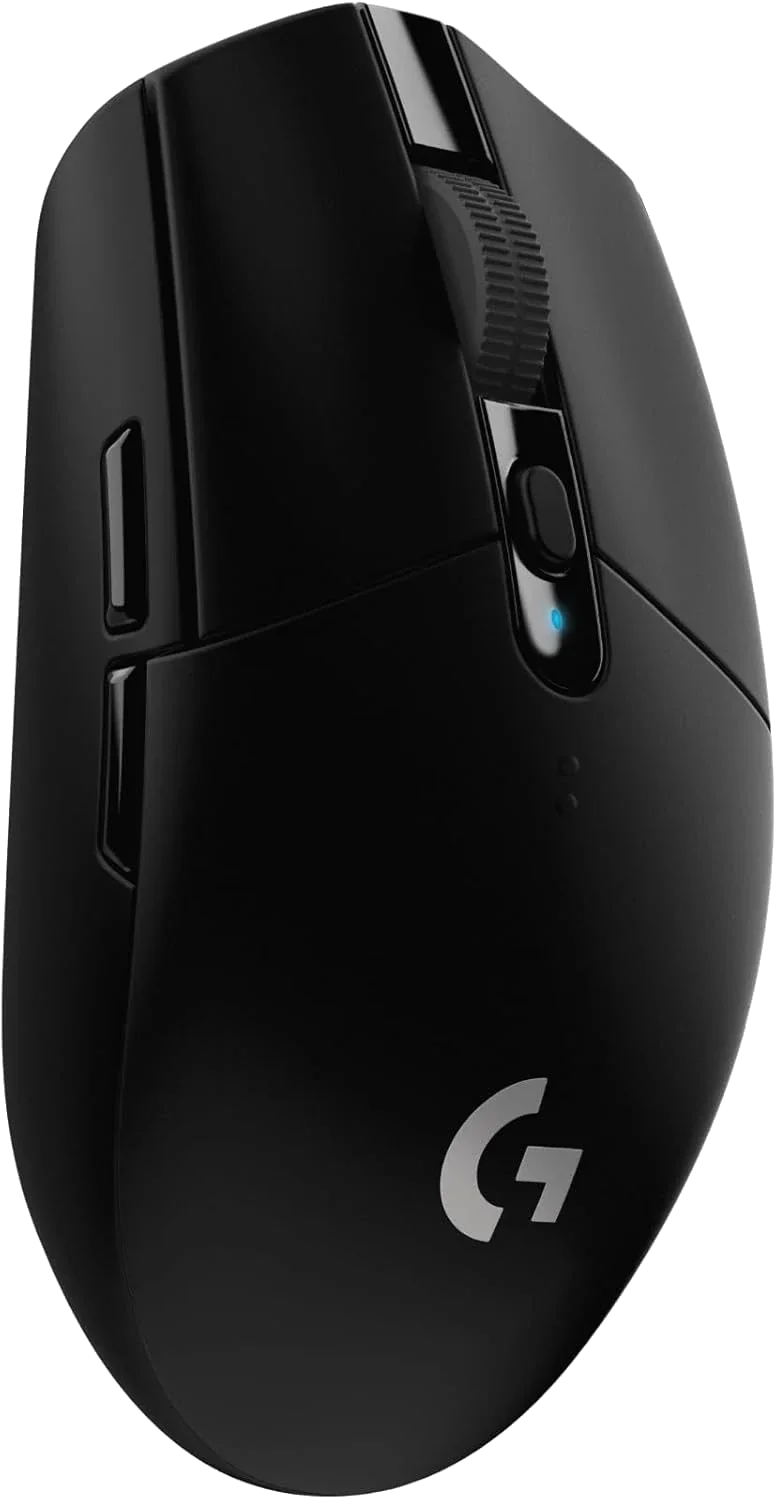
Logitech G305 LIGHTSPEED Wireless Gaming Mouse
Model 910-005280 · HERO sensor · 6 programmable buttons
The G305 is the most performance-focused mouse in this group. Its HERO optical sensor runs from 200 to 12,000 DPI, and Logitech's LIGHTSPEED receiver is designed for a 1 ms wireless report rate. That is useful for games where consistent tracking and response matter; it is more capability than most people need for email, spreadsheets, and web browsing.
It has six buttons, including two side buttons that can be programmed through Logitech G HUB, and uses one AA battery. Logitech rates it for up to 250 hours in Performance mode and up to nine months in Endurance mode, depending on use and settings. The manufacturer lists the weight at 99 g. The supplied Amazon specification table gives a slightly lower figure, so this guide uses Logitech's published number.
- Best choice here for gaming or users who want configurable buttons and DPI.
- The compact symmetrical shape may feel small if you prefer a large palm-filling mouse.
- One AA battery is included in the supplied listing; the USB receiver stores inside the mouse.
- Buyer feedback is positive about battery life and responsiveness, but some owners report double-click problems, stuttering, or receiver failures.
Lenovo 530 Wireless Mouse — best for simple laptop and office use
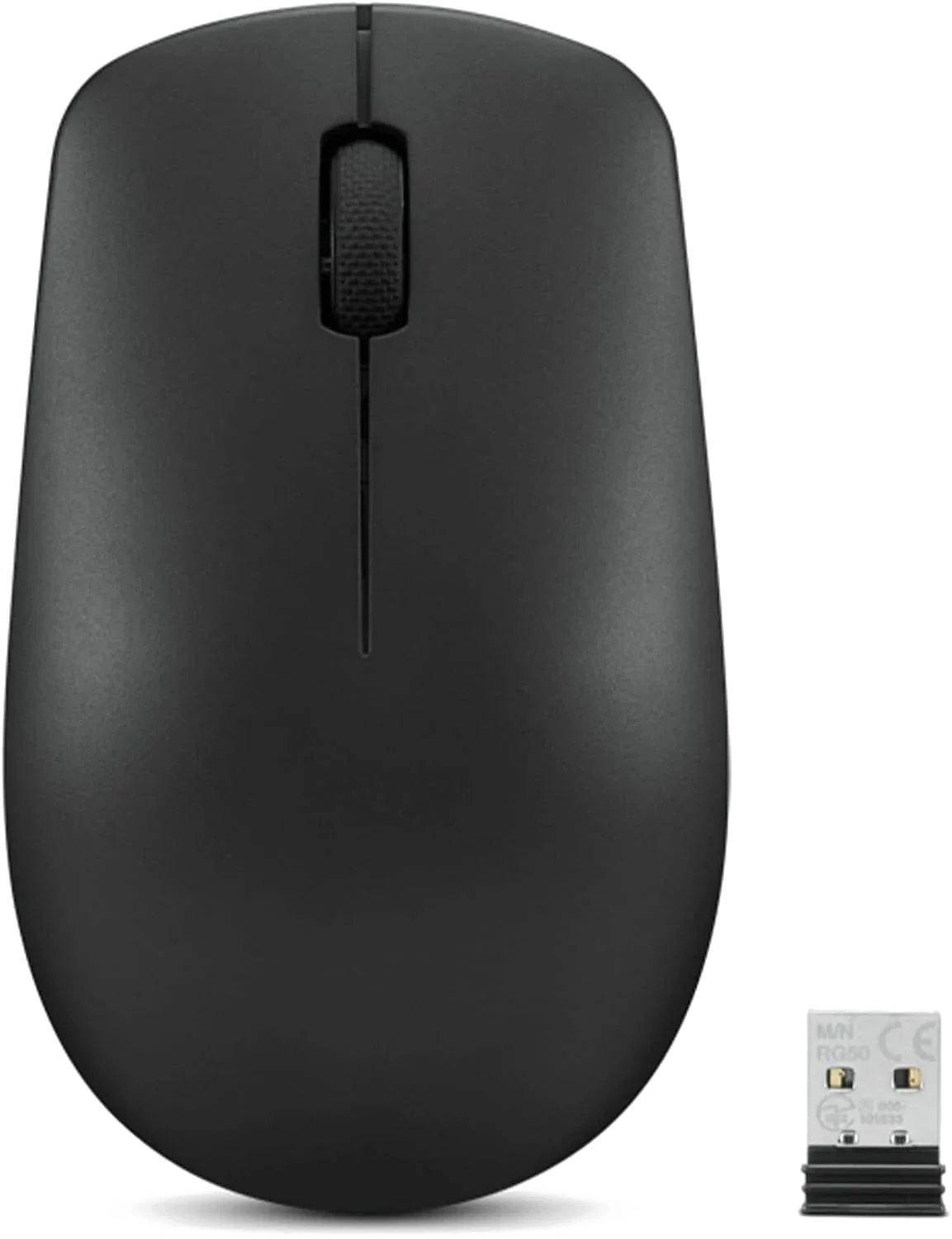
Lenovo 530 Wireless Mouse
Part number GY51K24400 · 1,200 DPI · 65 g
The Lenovo 530 is the straightforward option. It uses a 2.4 GHz nano USB receiver, has a 1,200 DPI optical sensor, and keeps the controls to the standard left, right, and scroll-wheel buttons. At 65 g, it is the lightest of the three by the manufacturer figures in this comparison. It is a good match for a laptop bag or a desk where you do not need gaming settings or extra navigation buttons.
Lenovo says the mouse works for either hand and rates the left and right buttons for up to eight million clicks. Lenovo estimates up to 12 months of battery life, depending on use. There is a specification conflict worth checking: Lenovo's support page for part GY51K24400 lists one AA battery, while the supplied Amazon record says AAA. Use the exact part number and confirm the battery type shown in the package or manual before ordering. Buyer feedback generally likes the simple setup and value, although some people with larger hands find the body too small.
- Best for everyday browsing, documents, and travel rather than gaming.
- A fixed 1,200 DPI sensor is simple but offers less adjustment than the other two.
- Lenovo's support page lists one AA battery, while the supplied Amazon data says AAA. Verify the battery type for the exact package before ordering.
- Check the exact part number GY51K24400—the 530 name can appear alongside other Lenovo mouse variants.
Acer OMR266 — best if you prefer a larger, contoured right-hand shape
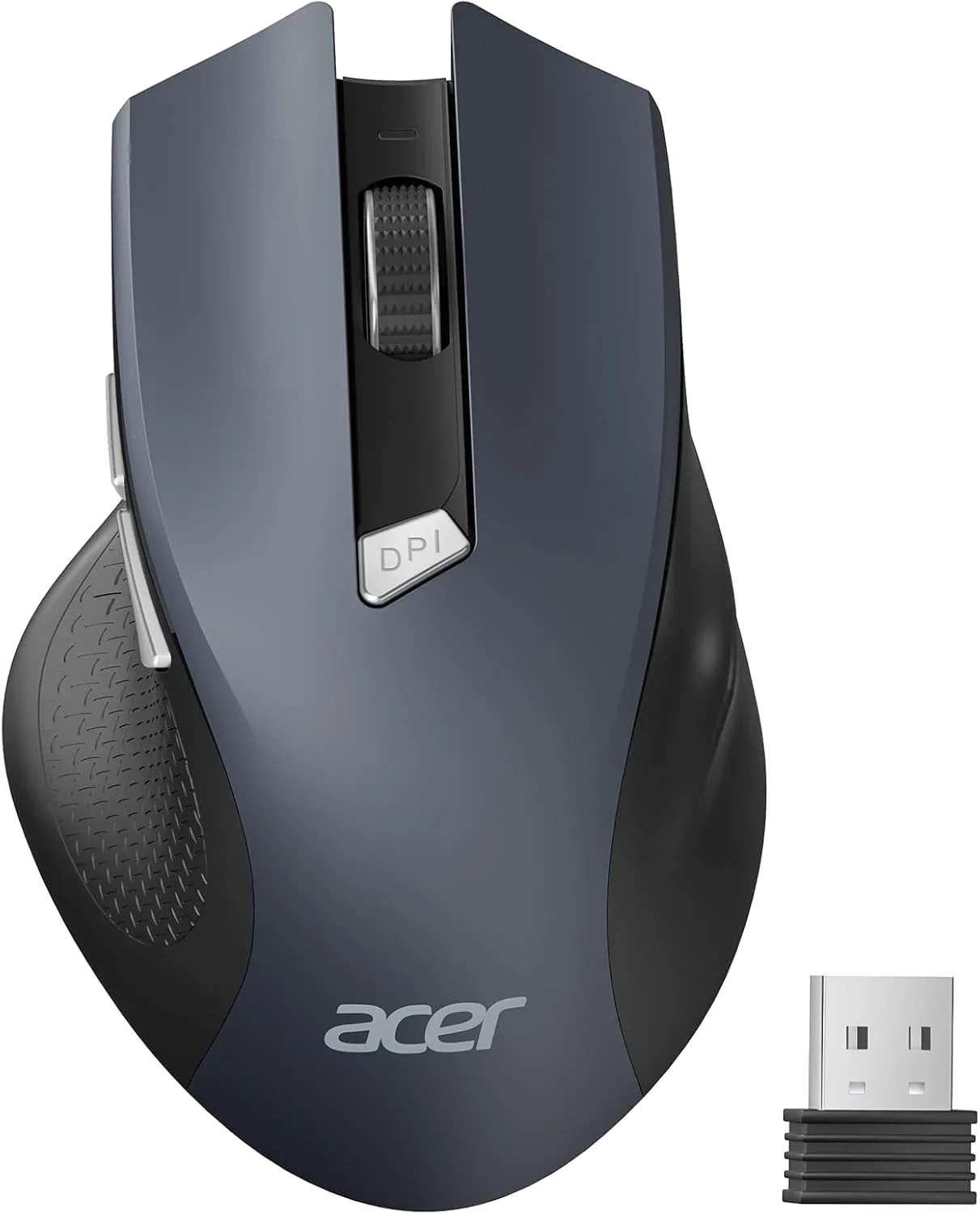
Acer OMR266 Wireless Mouse
2.4 GHz USB-A receiver · 3 DPI levels · 6 listed buttons
The OMR266 is physically larger than the other two in the supplied listing: about 5.1 inches long, 3.2 inches wide, and 3 ounces. The listing recommends it for medium-to-large hands and shows a right-handed contoured shape. If you like a thumb rest and a fuller grip, that may be a better fit than the compact G305 or Lenovo 530. If you use your mouse with either hand, this is the least flexible option of the three.
It offers three DPI settings—800, 1,200, and 1,600—and forward/back buttons for browser navigation. The product information specifically says the side buttons do not work on Mac, so do not buy it expecting full side-button support in macOS. It uses two AAA batteries, which the supplied listing says are not included. The mouse enters sleep mode after about ten minutes of inactivity and may need two or three clicks to wake.
- Best fit if you want a larger, right-handed body and forward/back buttons.
- Three DPI levels are adequate for everyday use, but the 1,600 DPI ceiling is modest compared with the G305.
- Two AAA batteries are required and not included in the supplied listing.
- The side buttons are listed as unsupported on Mac; wireless responsiveness and battery life receive mixed buyer feedback.
What actually matters when choosing a wireless mouse?
Hand size and grip style come before DPI
A mouse can have a high DPI number and still feel wrong after an hour. The G305 is compact and symmetrical, the Lenovo 530 is a light ambidextrous office mouse, and the Acer OMR266 is longer and wider with a right-hand contour. Compare the dimensions with a mouse you already find comfortable. If you use a palm grip or have larger hands, the OMR266 may feel more supportive; if you carry a mouse every day, the Lenovo's lower weight is appealing.
DPI is sensitivity, not a quality score
DPI tells you how far the pointer moves relative to physical movement. It does not measure sensor accuracy or gaming performance on its own. The G305's 12,000 DPI range is useful because it offers more adjustment and is paired with a gaming-oriented HERO sensor. The Lenovo's fixed 1,200 DPI is enough for ordinary office work. Acer's three settings are useful if you want to switch sensitivity without software.
Wireless receiver versus Bluetooth
All three referenced listings use a USB receiver. None should be purchased on the assumption that it can pair over Bluetooth. That matters if your laptop has only USB-C ports: you may need an adapter, and some managed computers restrict new USB devices. Keep the small receiver somewhere safe when traveling.
Battery estimates are not guarantees
Logitech's 250-hour figure refers to its stated Performance mode; its Endurance mode can extend runtime considerably. Lenovo's 12-month estimate and Acer's battery claims depend on usage, battery quality, sleep behavior, and how often the mouse is moved. Acer's two AAA batteries are not included in the supplied offer, so add that small extra cost when comparing prices.
Side buttons and operating-system support
The G305's side buttons can be configured through Logitech software on supported systems. Lenovo keeps the controls basic. Acer's product information says its forward/back buttons do not work on Mac. If you rely on browser navigation buttons, check compatibility with your operating system and the applications you use before ordering.
Which mouse should you choose?
- Choose Logitech G305 if you play games, want a high-performance sensor, or value programmable buttons. It is the most capable mouse here, but it is also the most feature-heavy and its shape may feel small.
- Choose Lenovo 530 if you want a light, inexpensive mouse for everyday laptop work. It is the least complicated choice, provided its size fits your hand.
- Choose Acer OMR266 if you prefer a larger right-handed shape and want forward/back buttons. Avoid it if you need those side buttons on a Mac or prefer an ambidextrous design.
Frequently asked questions
Is the Logitech G305 good for office work?
Yes. Its gaming sensor and programmable buttons also work for general computing. You may be paying for performance and configuration you do not need if you only browse and write documents.
Does the Logitech G305 connect with Bluetooth?
The referenced G305 uses Logitech's LIGHTSPEED USB receiver rather than Bluetooth. Check that your computer has a compatible USB port or adapter.
Does the Lenovo 530 have adjustable DPI?
The supplied Lenovo 530 product information lists a 1,200 DPI sensor. Do not assume it has multiple DPI steps; check the exact part number if that feature matters.
Does the Acer OMR266 work with Mac?
The listing indicates general macOS compatibility but specifically says the forward/back side buttons do not work on Mac. Basic pointer use and the extra buttons should not be treated as the same compatibility question.
Are batteries included?
The Logitech listing includes one AA battery. Lenovo's support page for GY51K24400 lists one AA, but the supplied Amazon record says AAA, so verify the exact package. The Acer OMR266 listing says two AAA batteries are required but not included.
Which is best for large hands?
The Acer OMR266 is the only one whose supplied listing explicitly recommends medium-to-large hands, and its body is the largest. That is a starting point, not a guarantee of comfort; grip style matters as much as overall size.
Bottom line: The G305 is the performance choice, Lenovo 530 is the simple lightweight option, and Acer OMR266 is the larger right-handed alternative. The best mouse is the one that fits your hand and computer—not the one with the biggest DPI number.