
A reading journal can be as simple as one page where you write down the books you finish, or as involved as a year-long archive with reviews, favorite quotes, reading challenges and monthly statistics. The right printable reading journal is not necessarily the one with the most pages. It is the one you will keep using after the novelty wears off. This guide compares simple book trackers, printable PDF bundles, fillable journals, hyperlinked tablet planners and spreadsheet systems so you can choose a format that fits the way you actually read.
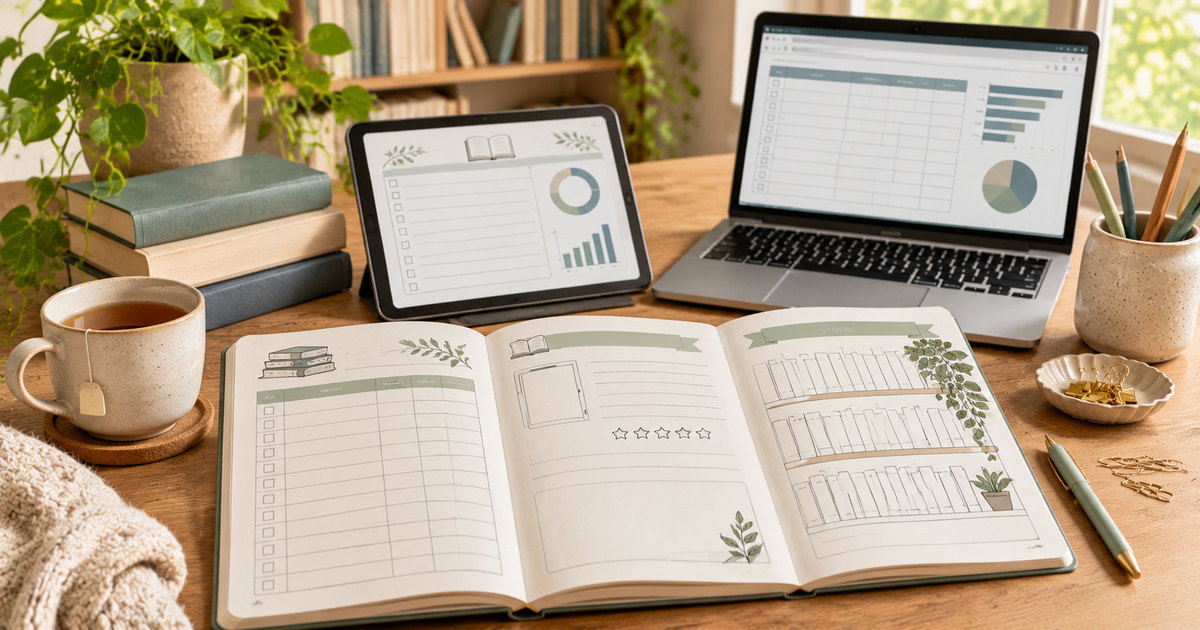
This guide is for adult readers, book-club members and students who want a practical way to organize personal reading. It focuses on downloadable journals and trackers rather than bound notebooks or library-management software. The product examples are live digital listings selected to illustrate different formats; TestedWise has not purchased or physically tested them. File contents, seller terms, prices and availability can change, so confirm the current listing and its preview before checkout.
1. Printable journal vs book tracker: the quick comparison
These products overlap, but they are not all designed to do the same job. A tracker is mainly a record. A journal gives you space to think about what you read. A planner adds goals and scheduling. A digital journal may look like a printable PDF, but it can include form fields or navigation links that change how you use it.
| Format | Best for | What you usually get | Main trade-off |
|---|---|---|---|
| One-page book tracker | Readers who only want to remember titles and dates | A compact list or grid for books read, sometimes with a rating or short note | Little room for reviews, series notes or reading statistics |
| Printable reading journal | Readers who like handwriting and keeping a paper archive | Book logs, review pages, TBR lists, quotes, challenges and monthly or yearly summaries | Requires printing, storage and some page planning |
| Fillable PDF | Readers who prefer typing into a PDF on a computer or tablet | Blank fields that can accept typed information; some are also printable | Form-field support varies by PDF viewer, and a fillable file is not necessarily hyperlinked |
| Hyperlinked digital journal | Tablet users who handwrite and move between sections | A PDF with internal links from an index, tabs or book library to other pages | Needs a compatible PDF annotation app; links must actually be embedded and working |
| Spreadsheet tracker | Readers with large libraries who want sorting and automatic totals | Rows, filters, dashboards, formulas, progress charts and sometimes multi-reader support | Less like a handwritten journal; compatibility and setup matter |
If you are unsure, begin with the smallest system that solves your problem. Someone who forgets book titles does not need a 100-page planner. Someone who writes detailed reviews may find a one-page tracker frustrating after the first few books. Think about what you want to look back on six months from now, then choose the pages that preserve that information.
2. What the different reading-journal terms mean
Reading log
A reading log is the basic record of reading activity. It may include a title, author, date started, date finished, page count or reading time. Some logs also record the format—print, ebook or audiobook—and a short note. It is usually designed for quick entries rather than long reflections.
That is why a reading log printable or a simple book tracker printable is often the right starting point for readers who want a record without a full journal. A more detailed reading tracker printable may add status, format, genre or monthly totals, but it should still be quick to update.
Book tracker
A book tracker organizes books by status or category. Common labels include To Be Read, Currently Reading, Finished, Did Not Finish, On Hold and Wishlist. A tracker may also group books by genre, series, author, format or year. Its main purpose is to answer practical questions: What have I read? What am I reading now? What do I own but have not started?
Reading journal
A reading journal adds reflection. A book review page may ask what the story was about, which character stood out, what worked, what did not, and whether you would recommend the book. Other pages leave room for favorite passages, questions, themes, predictions or personal reactions. A journal is useful when you want to remember not just the title, but why a book mattered to you.
Reading planner
A reading planner focuses on what you intend to read. It may include a yearly goal, monthly TBR, release calendar, reading challenge, book-club schedule or a list of books borrowed from the library. It is most useful when planning is part of the enjoyment. If goals make reading feel like homework, skip the planner pages and keep a simple log instead.
Digital reading journal
“Digital” can mean several different things. A PDF may simply be a digital copy of a printable page. A fillable PDF contains fields you can type into. A hyperlinked PDF has clickable navigation between sections. A GoodNotes-style journal is usually a PDF intended for handwriting and annotation in a tablet app. A spreadsheet is a separate data-based system. A listing that says “digital” does not automatically include all of these functions.
3. Choose a format based on how you read
If you finish a handful of books each year
A one-page reading log or a small printable book tracker is likely enough. Record the title, author and finish date. Add a rating only if you genuinely use it. You can print another copy when the page fills up, or keep one sheet in a folder. A compact tracker is also a sensible way to test whether you enjoy recording your reading before buying a larger bundle.
If you read several books at once
Look for a tracker with a Currently Reading section and a clear status field. Some readers switch between fiction, nonfiction, an audiobook and a library book. A simple finished-books list does not help much with that kind of reading pattern. A current-reading page can record the format, last page or chapter, listening position, and where the book came from.
If you like writing reviews and saving quotes
Choose a reading journal with repeatable book-review pages and note space. Check how many review pages are included and whether they are easy to print again. A bundle may include dozens of decorative challenges but only a few review sheets. If you finish more books than the review section can hold, you will need to print duplicates or add blank pages.
If you read ebooks and audiobooks as well as print books
Make sure the tracker does not assume every book has a physical page count. For ebooks, you may prefer to record the format and reading dates rather than page numbers, since pagination can change with font size and device settings. For audiobooks, record listening time, duration or narrator if those details matter to you. Do not combine pages and minutes into one total and treat it as a meaningful comparison; they measure different things.
If you belong to a book club
Look for discussion prompts, character and theme notes, favorite quotes, questions for the group and a space for meeting dates. A book-club journal can be more useful than a large yearly challenge section. If several people will use one tracker, check whether it supports separate reader names or whether each person needs a separate copy.
If you enjoy data and year-end statistics
A spreadsheet or a digital journal with a genuine dashboard may suit you better than a paper planner. You can sort by genre, filter by year, count completed books and compare reading formats. The trade-off is that you will be entering data into a structured system. If you dislike updating rows and fields, a paper log may be easier to maintain.
4. Which pages are worth having?
A good reading journal is not defined by its page count. A smaller file with clear, repeatable pages can be more useful than a large bundle that looks impressive but is difficult to navigate. Separate essential pages from optional extras before you buy.
The essentials
- Books read / reading log: a place to record each finished book, author and date. If you read across formats, include a format field.
- Currently reading: a short list of active books, with a page, chapter or listening position if you want to track progress.
- To-be-read list: a place to collect future reads without mixing them with books you have already finished.
- Book review: enough room for a short summary, your reaction and a note about who might enjoy the book.
- Yearly or monthly overview: a simple summary of what you read, without requiring daily tracking if that is not your style.
Useful extras
- Series tracker: helpful if you read long-running fantasy, mystery or romance series and want to remember the order.
- Library loan tracker: useful for due dates, return dates and books borrowed from other people.
- Audiobook log: useful if you want to record narrator, listening time or platform.
- Favorite quotes and passages: valuable for readers who annotate or revisit particular lines. Leave room for the page number or ebook location, which can vary by edition.
- Genre or author tracker: useful for noticing reading patterns or planning a more varied year.
- Book-club notes: prompts, questions, themes and meeting notes for group discussions.
Optional pages that can become clutter
Bookshelf coloring challenges, bingo cards, 10/25/50/100-book goals, trope trackers, reading mood charts and decorative wrap-up pages can make a journal fun. They are not essential. If you buy a bundle because it has 150 pages, ask how many of those pages you will actually fill in. A reading journal should make it easier to remember books, not create a second hobby of maintaining the journal itself.
How many book-review pages do you need?
Estimate the number of books you want to review, not just the number you expect to finish. If you finish 30 books a year but only write a few detailed reviews, you may need a handful of review pages and a larger reading log. If you write about nearly every book, choose a file with repeatable review pages or make sure you can print duplicates. In a digital PDF, confirm whether duplicate pages can be added in your chosen app.
5. Five reading journals and trackers to compare
These examples were selected because they represent different workflows rather than five nearly identical printable bundles. The best fit depends on whether you want a short record, a paper journal, a hybrid PDF or a data-driven library. Product descriptions below reflect the live listing information reviewed for this guide; they are not hands-on test results.
1. PearlPlannerPDF Book Tracker Printable
Best for: readers who want a simple, single-page record and do not need a full journal.
This Etsy listing is presented as a one-page book tracker: a compact place to keep the books you have read without building a full planner around them. That is its main appeal. If your only problem is forgetting a title or losing track of what you finished, a single sheet may be enough. You can keep it in a binder, print a fresh copy when you need more space, or use it as a minimal insert in a notebook.
The limitation is equally important: a one-page tracker is not a substitute for a review journal. The listing description does not establish every field or paper size in the file, so inspect the preview images before purchasing. Check whether it includes the author, finish date, rating or notes fields you want. If you need a TBR list, audiobook log or series tracker, you may outgrow this format quickly.
View the PearlPlannerPDF Book Tracker on Etsy →
2. BeBookArt Printable Reading Journal: 54 Pages in Three Sizes
Best for: readers who want a broad paper journal with book reviews, lists, challenges and yearly summaries.
BeBookArt's listing describes three 54-page PDF versions: A4, A5 and US Letter. The seller also includes ZIP files with cover pages and section dividers. The listed sections cover a personal library, series, book and series reviews, favorite books and quotes, monthly goals and wrap-ups, yearly statistics, reading logs, TBR lists, wishlists, lending records, genre tracking, ebook and audiobook tracking, and reading challenges.
The useful detail is the file distinction: the listing says the PDFs are not editable and do not contain interactive links. You can print them and write by hand, or annotate the pages in a PDF-friendly app, but you should not expect typed form fields or clickable tabs. That is not a flaw if you want a paper journal. It matters if you expected a fully interactive digital planner. Choose the matching paper-size file rather than assuming one PDF will fit every printer setting.
The large selection of page types gives you flexibility, but it also creates a setup decision. You do not need to print every page. Start with the reading log, a few review sheets, a TBR list and one yearly tracker. Add the other sections only if you find yourself needing them.
View the BeBookArt Reading Journal on Etsy →
3. PlanRightCo Printable Reading Journal Bundle
Best for: readers who want a larger planner-style bundle and need several binder or insert sizes.
PlanRightCo's listing describes an undated reading journal with reading logs, book reviews, bookshelf trackers, book lists, wishlists, monthly reading overviews, reflection pages and reading challenges. The available size options are listed as A4, A5, US Letter, Half Letter and Classic Happy Planner. The listing preview advertises a larger 84-plus-page collection, while the description identifies two PDF files and says the pages are intended for printing.
This is the more planner-like option of the paper bundles. The range of sizes is useful if you already own a binder or planner and want inserts that fit it. The challenge is avoiding page overload. A big bundle can include more tracking layouts than you need, and the listing's preview should be checked carefully to see how many pages are unique reading tools rather than alternate layouts or general planner pages. The seller describes the files as printable PDFs; do not assume that they are fillable form documents.
Before you buy, confirm which size files are included in the current download, whether the design leaves enough margin for your binding system, and whether the pages you care about are shown in the preview. If you only want a book log, the smaller tracker above is a more economical workflow even if the bundle looks more comprehensive.
View the PlanRightCo Reading Journal Bundle on Etsy →
4. PersonalizedGift3B Digital Reading Journal & Book Club Planner
Best for: readers who want one purchase to cover tablet navigation, typed PDF fields and paper printing.
This listing is more specific about its file formats than many digital-journal descriptions. The seller says the ZIP contains a GoodNotes-ready hyperlinked PDF, a true fillable US Letter PDF, a true fillable A4 PDF, a completed example and a four-page quick-start guide. The hyperlinked version is intended for handwriting and navigation in a compatible PDF annotation app; the fillable versions are designed for typing in a form-capable PDF viewer. The separate Letter and A4 files also avoid asking every buyer to resize one generic page.
This is the most flexible option in the group if you are comfortable working with PDFs. It can be used on a tablet, typed into on a computer, or printed in one of the supplied sizes. The trade-off is compatibility: a PDF form field or internal link may behave differently across apps and devices. “GoodNotes-ready” is not a promise that every feature works in every note-taking app. Test the sample or example file if available, and check whether the fields you need can be saved in your preferred viewer.
The listing is a digital download, not a bound journal. No physical product is shipped. If you want to write with a pen on paper and never use a tablet, a simpler printable may be easier to maintain.
View the PersonalizedGift3B Digital Reading Journal on Etsy →
5. PurplePieceStudio Book Tracker Spreadsheet for Excel & Google Sheets
Best for: readers with a large library who want dashboards, filters, series tracking and automatic summaries.
This is not a printable journal, but it is a useful alternative if your main goal is organizing data. The listing describes 19 tabs, including a dashboard, library, reading log, review builder, cover gallery, series tracker, TBR picker, monthly TBR, wishlist, loans and advance-reader-copy deadlines, a challenge page, quotes and a year-in-review section. It includes Google Sheets editions and Excel editions in dark and light themes, example files, and a PDF setup guide.
The seller says the library can hold up to 5,000 books and can import up to 500 entries per batch. The workflow is built around three main inputs: initial setup, one row per book in the library, and a reading-log entry as you read. The dashboard and other summaries then update automatically. It also supports print, ebook and audiobook records, including listening minutes and narrator details.
The compatibility notes deserve attention. The seller specifies Microsoft Excel 365 on Windows or Mac, or Google Sheets in a computer browser. The listing says it is not designed for Apple Numbers, LibreOffice, older Excel versions or phone and tablet apps. Excel book-cover images also require an internet connection, and Google Sheets users must allow access for covers to load. This is a strong option for readers who like data, but a poor choice if you want to write a reflective review by hand.
View the PurplePieceStudio Book Tracker Spreadsheet on Etsy →
6. US Letter, A4, A5 and Half Letter explained
Paper size is one of the easiest details to overlook when buying a printable reading journal. A file can look perfect in a listing image and still print too small, crop its margins or leave awkward blank space if the PDF page size does not match the paper in your printer.
| Size | Dimensions | Typical use |
|---|---|---|
| US Letter | 8.5 × 11 in | Standard home and office printing in the United States; useful for full-size binder pages |
| A4 | 210 × 297 mm (about 8.27 × 11.69 in) | Common international document size; slightly narrower and longer than US Letter |
| A5 | 148 × 210 mm (about 5.83 × 8.27 in) | Compact journal or planner insert; smaller writing area but easier to carry |
| Half Letter | 5.5 × 8.5 in | A half-size US Letter sheet, often used for compact binders and notebooks |
| Classic Happy Planner | Check the seller's stated insert dimensions | A proprietary planner format; do not assume A5 or Half Letter will fit it |
A4 and A5 are part of the ISO A-series paper standard. A5 is half the area of A4, while US Letter uses a different proportion. That is why an A4 PDF printed on US Letter paper can leave a different margin or be scaled by the printer. If a listing includes separate files for each size, use the file that matches the paper you plan to load. Do not rename an A4 file “Letter” and expect the layout to change.
Choose a size by how you plan to store the journal
- US Letter: easiest if you use standard American printer paper and a full-size three-ring binder.
- A5: useful for a compact journal that stays on a bedside table or travels in a bag. Check that the writing areas are not too small for your handwriting.
- Half Letter: convenient for half-size binders and notebooks. Confirm whether the seller provides a true Half Letter file or expects you to print two pages per sheet.
- A4: the sensible choice if your printer, binder or local print shop uses the ISO paper system.
- Classic planner inserts: verify the exact punched-page dimensions and margin placement. A page can be the right height but still lose text beneath the discs or rings.
Look for the actual PDF dimensions in the listing description, not only a picture of several paper sizes. Some sellers provide separate PDFs; others provide one master file and expect the buyer to scale it. Those are different products. If the listing does not say which one it is, ask before buying.
7. How to print a reading journal without awkward scaling
Most printable journals are delivered as PDFs. You can print selected pages at home, send the file to a copy shop or keep the PDF for digital annotation. The following process avoids the common problem of a page that prints too small or cuts off the binding margin.
- Download the file and extract it if needed. Some sellers provide one PDF; others provide a ZIP containing several sizes, covers, instructions or individual pages. Open the ZIP and identify the correct file before printing.
- Check the page size. Confirm whether the file is US Letter, A4, A5 or another size. Set the printer paper to match it whenever possible.
- Print one sample page first. Choose a book log or review page with text near the edges. Check that nothing is clipped and that the writing boxes are large enough.
- Choose the right scaling option. In Adobe Acrobat, “Actual size” prints without scaling, while “Fit” enlarges or reduces the page to the printable area of the selected paper. If the PDF and paper sizes do not match, either setting can change the final dimensions or crop a page. Use the option that matches the seller's instructions and inspect the preview before printing.
- Decide whether to print in color or grayscale. A decorative color journal may use more ink than a black-and-white log. If the layout remains readable in grayscale, printing in black and white can be more economical.
- Choose single-sided or double-sided printing. Single-sided pages are easier to rearrange and write on from the back. Double-sided printing saves paper but requires a layout with suitable margins and enough space for both sides.
- Check the binding edge. A three-ring binder, disc-bound planner and spiral binding all need different margins. Leave enough room for holes or discs so text does not disappear into the binding.
- Print only what you will use. You can often print a few review pages and a tracker rather than the entire bundle. Keep a backup copy of the original PDF so you can print more pages later.
Paper weight and ink coverage
Ordinary copy paper is fine for a basic reading log. If you plan to use markers, fountain pens or heavy coloring, test the paper first; thin paper can show ink through the reverse side. A heavier paper may feel better for a journal cover or a page you will handle often, but it also makes a large binder heavier. Dark full-page backgrounds and large blocks of color can use considerably more ink than a clean black-and-white layout. Look at the preview images and consider the cost of printing the pages you will actually use.
Home printer or copy shop?
A home printer is convenient for a few pages and repeated inserts. A copy shop can be useful for a large bundle, thicker paper, trimming or binding. Before sending a file to a print shop, check the seller's personal-use terms and do not assume that a digital purchase includes commercial reproduction rights. Keep the original download unchanged so you can return to it if a print setting goes wrong.
8. Fillable PDFs, hyperlinked journals and tablet use
Digital reading journals can be excellent, but only when the file's features match your device and the way you write. The words “fillable,” “editable,” “interactive” and “hyperlinked” are sometimes used loosely in product descriptions. They refer to different capabilities.
What is a fillable PDF?
A fillable PDF contains form fields that let you type information into designated boxes. It is useful on a computer when you want to enter titles, dates or short reviews with a keyboard. Some fillable PDFs can also be printed with the entered information. Adobe's PDF form tools distinguish the document from the typed field data, so check that your viewer can save the completed file and that the seller's PDF really contains form fields rather than just blank lines.
What is a writable or annotatable PDF?
A regular PDF can still be marked up with handwriting, text boxes or drawing tools in a compatible app. That does not make it a fillable form. If a listing says you can “write on the PDF,” it may mean annotation rather than interactive fields. That can be perfectly suitable for an iPad and stylus, but it is not the same as typing directly into a form field on a laptop.
What is a hyperlinked reading journal?
A hyperlinked PDF has clickable elements that move you to another page or website. A reading journal might have an index linked to its monthly sections, a bookshelf where each book opens a review page, or tabs that return to the home page. Goodnotes supports importing PDFs and opening hyperlinks that already exist in the imported file. The link must be built into the PDF; a decorative tab image is not automatically clickable.
Check app compatibility before buying
- Confirm the journal is a PDF and not a file that requires a specific paid app or design program.
- Check whether the listing names Goodnotes, Notability, Xodo, Adobe Acrobat Reader or another app. Compatibility can differ across platforms and versions.
- Look for a sample or completed example. It helps you see whether the links, form fields and page layout work as expected.
- Confirm whether the PDF is portrait or landscape and whether it is designed for your tablet's screen ratio.
- Make sure you can export or back up your completed journal. A file you cannot easily move or save is not a good long-term archive.
For a first digital journal, test a single PDF page before committing to a full year of entries. Type into a field, add handwriting, tap a navigation tab and save a copy. Then reopen the file to make sure the entries and links remain intact. A listing may say “GoodNotes-ready,” but that should be treated as a compatibility claim to verify, not a guarantee that every feature works identically in every app.
9. When a spreadsheet is a better book tracker
A spreadsheet is not as personal as a handwritten journal, but it can be more practical when you have a large collection or want to analyze your reading. A row-per-book library makes it easier to sort titles by author, genre, format, status, rating or year. A separate reading log can record each session, pages read or minutes listened to. Formulas can then calculate totals and build a dashboard.
What a useful reading spreadsheet should include
- Book library: title, author, series, genre, format, status and publication information.
- Reading log: date, book, pages read or minutes listened to. Keep page counts and listening time in separate fields.
- Progress: current page, total pages or percent complete, where those details are available.
- Review notes: a rating if you use one, a short reaction and a recommendation flag.
- Filters: options to view currently reading, finished, DNF, TBR, borrowed and owned books.
- Summary: books finished, pages read, audiobook hours, genres explored and yearly goal progress.
Google Sheets or Excel?
Google Sheets is useful if you want a browser-based spreadsheet that can be shared with other people. Google describes Sheets as an online spreadsheet app for creating, formatting and collaborating on spreadsheets. Excel may be a better fit if you already use Microsoft 365 and want a workbook that lives with your other files. Check the exact version requirements for any template: a workbook that relies on newer formulas or image functions may not behave the same in older software.
A template can also be more complicated than it looks. A dashboard with charts and automatic cover images may require setup, internet access or permission to load external images. A spreadsheet that is advertised as mobile-friendly should be tested on the phone or tablet you plan to use. Some sellers explicitly design their files for desktop use only. If you mainly read on a tablet and want to handwrite notes, a PDF journal may feel more natural.
Do you need both a printable and a spreadsheet?
Usually not. If you enjoy writing short reflections, use a paper or digital journal. If you want filters and statistics, use a spreadsheet. You can combine them if each has a distinct job—for example, a spreadsheet as the master list and a small paper journal for favorite passages. Avoid entering the same details twice unless the second copy gives you something useful.
10. Build a reading system you will keep using
The easiest way to abandon a reading journal is to start with too many pages and too many rules. Build a small routine first. You can always add more detail once you know what you wish you had recorded.
Step 1: decide what you want to remember
Choose one primary reason for tracking. You may want a record of finished books, a list of future reads, a place for book reviews, or a way to see reading patterns over a year. Pick one main purpose and no more than two secondary ones. This decision will tell you which pages to print or which spreadsheet fields to keep.
Step 2: choose a small set of pages
A practical starter set could be a yearly reading goal, a books-read log, a currently-reading list, a TBR list and a reusable review page. If you listen to audiobooks, add a simple audiobook field or log. If you borrow books, add a loan tracker. You do not need a page for every possible category on the first day.
Step 3: decide what counts as a finished book
Some readers count only completed books; others also record DNFs, rereads, short stories or books read aloud with a child. There is no universal rule. Choose a definition that makes sense for your own archive and use it consistently. If you want a year-end count, keep DNFs separate from completed books so the total is meaningful to you.
Step 4: make the entry while the details are fresh
When you finish a book, record the title, author and date before moving on. Add a short reaction while you still remember the details. A sentence or two is enough. If you want to write a longer review later, note the character, scene or idea you want to remember so you can return to it.
Step 5: review the tracker once a month
A monthly check-in is enough for many readers. Move books to Finished or DNF, update the TBR list, record a library return and choose the next book. If you use a yearly challenge, adjust the goal if it no longer fits your life. A tracker should reflect your reading, not pressure you to read faster.
Step 6: make a year-end summary that you will enjoy reading
At the end of the year, look beyond the number of books. Which author surprised you? Which genre did you read more often than expected? Did you enjoy audiobooks more this year? Which book did you recommend to friends? A short reflection can be more meaningful than a page full of statistics. If you do enjoy statistics, a spreadsheet or yearly summary page can make the patterns easier to see.
11. Common buying mistakes and a pre-purchase checklist
Buying by page count instead of usefulness
A 100-page bundle is not automatically better than a 10-page one. Page count may include covers, section dividers, repeated sizes, blank notes pages or several versions of the same layout. Count the pages you will use, not the pages shown in the marketing image.
Assuming every digital PDF is editable
A printable PDF may be a fixed layout with no form fields or hyperlinks. A fillable PDF may accept typed entries but have no navigation. A hyperlinked PDF may let you jump between pages but not contain fields for typed answers. Ask the seller or inspect the preview if the description is unclear.
Ignoring paper size and binder margins
A4, US Letter, A5 and Half Letter are not interchangeable. A page that is scaled down to fit can make writing boxes too small. A page with a narrow inner margin can lose text when punched for a binder. Match the PDF to the paper and storage system before printing a large batch.
Choosing a dated journal too early
A dated 2026 or 2027 journal can be useful if you want calendar pages. It can also become awkward if you start late, miss several months or want to reuse the file next year. An undated journal is more flexible. If you want dates, check whether they are editable or whether the file includes blank monthly pages.
Forgetting the download and license details
Check whether the product is an instant download or a made-to-order file, which file types are included, and whether you need to unzip a folder. On Etsy, digital purchases are accessed through the Purchases section of an account, and the Etsy app currently does not support downloading digital purchases. Also read the seller's personal-use terms. A personal-use PDF is not permission to redistribute the file or share the download link.
Pre-purchase checklist
- I know whether I want a simple tracker, a reflective journal, a planner, a fillable PDF, a hyperlinked PDF or a spreadsheet.
- The preview shows the actual pages I want to use, not only decorative covers.
- The file includes the paper size I need: US Letter, A4, A5, Half Letter or the exact planner insert size.
- I know whether the PDF is fixed, fillable, annotatable or hyperlinked.
- The listing names the apps or software required and I can use them.
- I have checked whether the product is instant download or made to order.
- I know whether the download includes one PDF, multiple size PDFs, a ZIP folder or a spreadsheet link.
- The seller's personal-use and printing terms match how I plan to use the file.
- The tracker has enough review pages and log space for my reading habits.
- I can print a sample page or test the file before entering a full year of data.
If you enjoy book-related DIY projects as well as reading, our comparison of book nook kits and miniature house kits looks at another creative way to build a small bookish corner at home.
For the next part of the decision, see printable creative resources for quiet reading time.
12. Printable reading journal FAQs
What is the difference between a reading journal and a book tracker?
A book tracker records what you read and where each book stands. A reading journal adds space for reviews, notes, favorite quotes and reflections. Many printable bundles combine both, but a simple tracker can be only one page.
What should a printable reading journal include?
Start with a reading log, a currently-reading list, a TBR list and a reusable book-review page. Monthly or yearly summaries, series trackers, audiobook logs and reading challenges are useful extras if you will use them.
Are printable reading journals worth it?
They can be useful if you like writing by hand, want to customize your pages or prefer to print only the sections you need. They are less useful if you dislike printing, rarely update a journal or would rather search and sort your reading history in a spreadsheet.
What is the best paper size for a reading journal?
US Letter is convenient for standard U.S. home printers and full-size binders. A5 is compact and easy to carry. A4 is common internationally, while Half Letter fits smaller U.S. binders. Choose the file that matches your paper and binding system rather than relying on automatic scaling.
Can I print an A4 reading journal on US Letter paper?
Usually you can, but the printer may scale the page or leave different margins. The result may make writing areas smaller. If the seller provides a US Letter PDF, use that version. Otherwise, print one sample page and check the preview before printing the full journal.
What is a fillable reading journal PDF?
It is a PDF with form fields that allow you to type information into specific boxes. It is different from a regular PDF that you can only annotate with handwriting or text tools. Check whether your PDF viewer can save the completed fields.
What is a hyperlinked reading journal?
It is a PDF with clickable links that move between pages or sections. For example, a table of contents may link to a review page or a monthly tracker. The links must be embedded in the PDF; decorative tabs alone are not interactive.
Can I use a printable reading journal in Goodnotes?
Goodnotes supports importing PDFs, and it can open hyperlinks that already exist in an imported PDF. A fixed printable PDF can still be annotated, but it will not gain navigation links or form fields just because it is imported into Goodnotes. Check the seller's file description and test the links.
Can I type into a printable reading journal?
Only if the PDF has form fields or you use an app that lets you add text annotations. A standard printable PDF may contain blank lines but no editable fields. Look for the words “fillable PDF” and check the seller's preview before purchasing.
Is a spreadsheet better than a printable book tracker?
A spreadsheet is better for sorting a large library, filtering by genre or status, and calculating totals. A printable tracker is better if you enjoy handwriting, want a paper archive or do not want to manage formulas and software. Neither format is universally better.
Should I track pages read or books finished?
Track the measure that helps you understand your reading. Books finished are simple to count, while pages can show progress through longer books. For audiobooks, use minutes or hours rather than converting listening time into an arbitrary page total. Keep the measures separate.
Do I need a separate audiobook tracker?
Not necessarily. A format field in the main book log may be enough. Add a separate audiobook page if you want to record narrator, listening duration, platform or progress. Make sure the journal has a way to record time as well as page numbers.
How do I download an Etsy reading journal?
For an instant digital download, sign in to Etsy in a web browser, open Purchases and select Download Files next to the order. Etsy's help page says digital purchases cannot currently be downloaded through the Etsy app. If the download is a ZIP file, extract it to access the PDFs.
Can I print the same reading journal page more than once?
Many sellers allow repeated printing for personal use, but the license depends on the listing. Check the seller's terms before printing multiple copies or sharing pages with a book club. Do not assume that a personal-use download can be redistributed.
How do I avoid abandoning my reading journal?
Start with a few pages and a simple routine. Record the title and finish date when you complete a book, then add a short note if you want to remember your reaction. Review the list once a month. Add challenges and statistics only if they make reading more enjoyable.
Bottom line: Choose the smallest format that captures what you want to remember. A one-page tracker is enough for a simple reading history; a printable journal is better for handwriting and reflection; a fillable or hyperlinked PDF suits tablet and computer users; and a spreadsheet works best when sorting and statistics matter. Check the file itself, its paper size and its compatibility before buying. The best reading journal is the one that quietly becomes part of your reading routine.